

If your primary cloud is AWS, implementing CSPM is not optional — it is the baseline for security hygiene. The question is not whether you need CSPM, but how to deploy it effectively across your AWS accounts without drowning in alert noise or investing six months in setup.
This guide covers the practical considerations for implementing CSPM on AWS in 2026 — including the native-vs-third-party decision, multi-account architecture, ECS/EKS-specific considerations, and a step-by-step deployment approach for teams that need posture visibility without enterprise-scale complexity.
Who this is for: Security engineers, DevOps leads, and platform teams managing 5–100+ AWS accounts who need clear CSPM coverage without spending a quarter on implementation.
The AWS CSPM Landscape: Native vs Third-Party
AWS provides two native services that overlap with CSPM functionality:
AWS Security Hub
Security Hub aggregates security findings from AWS services (GuardDuty, Inspector, IAM Access Analyzer, Macie, Firewall Manager) and third-party tools into a single dashboard. It runs automated compliance checks against CIS AWS Foundations Benchmark, AWS Foundational Security Best Practices, and PCI-DSS.
What Security Hub does well:
- Native integration — no deployment overhead, immediate findings from AWS services
- CIS Benchmark compliance checks across core AWS services
- Centralised finding aggregation across accounts via AWS Organizations
- No additional cost beyond finding ingestion (standard findings are free)
- Multi-account aggregation through a delegated administrator account
Where Security Hub stops:
- AWS-only — if you run any Azure, GCP, or OCI resources, Security Hub cannot see them
- Limited to AWS service configurations — does not cover Kubernetes manifests, container images, or custom application configurations
- No contextual prioritisation — all Critical findings look equal regardless of internet exposure, blast radius, or identity context
- No remediation automation — findings include links to documentation, not copy-paste fixes or automated corrections
- No identity governance — sees IAM configurations but cannot analyse effective permissions, detect privilege escalation paths, or enforce least privilege
- No cross-cloud correlation — a finding in AWS cannot be correlated with identity data from Azure AD or configuration data from GCP
- No compliance evidence generation — provides a posture dashboard but not audit-ready evidence packages for SOC 2, ISO 27001, or HIPAA
AWS GuardDuty
GuardDuty is a threat detection service, not a posture management tool. It analyses CloudTrail logs, VPC Flow Logs, and DNS query logs to detect suspicious activity (credential compromise, cryptomining, data exfiltration).
GuardDuty complements CSPM but does not replace it. CSPM finds misconfigurations before exploitation. GuardDuty detects exploitation after it happens.
When AWS-Native Tools Are Sufficient
AWS Security Hub + GuardDuty may be sufficient if:
- You operate exclusively on AWS (no Azure, GCP, or OCI)
- You are in early security maturity and need basic posture visibility at zero cost
- Your compliance requirements are limited to CIS AWS Benchmarks
- You have engineering capacity to build custom remediation workflows
- You do not need cross-cloud correlation or advanced identity analysis
- You are comfortable with Security Hub’s finding volume and limited prioritisation
The honest assessment: For single-cloud, early-maturity teams, Security Hub provides a reasonable starting point. For multi-cloud environments, teams needing compliance evidence generation, or organisations that want contextual prioritisation and automated remediation, a dedicated CSPM or CNAPP platform is more effective.
When You Need a Third-Party CSPM on AWS
A dedicated CSPM platform becomes necessary when:
1. You Operate Multi-Cloud
If you run workloads across AWS + Azure, AWS + GCP, or all three, Security Hub structurally cannot provide a unified view. A third-party CSPM monitors all accounts from a single console with one set of policies.
2. You Need Contextual Prioritisation
Security Hub generates hundreds or thousands of findings with limited context. Third-party CSPM tools prioritise by:
- Is the resource internet-facing?
- What is the blast radius if exploited?
- Is there an identity with standing access to this resource?
- Is there a known exploit in the wild for this misconfiguration?
- Is this a production or development environment?
This contextual prioritisation is the difference between actionable signal and alert fatigue — see how correlating identity with misconfigurations makes contextual severity reflect the real IAM graph.
3. You Need Compliance Evidence
Security Hub shows compliance posture. It does not generate audit-ready evidence packages for external auditors. Third-party CSPM tools export compliance reports mapped to specific controls with evidence per finding — reducing audit preparation from weeks to hours.
4. You Need Identity Governance
AWS IAM is complex. Effective permissions — the intersection of identity policies, resource policies, permission boundaries, SCPs, and session policies — are difficult to reason about manually. Third-party CSPM/CIEM tools analyse effective permissions and identify privilege escalation paths that Security Hub misses.
5. You Want Automated Remediation
Security Hub tells you what is wrong. Third-party CSPM tools fix it — through GenAI-powered remediation playbooks with copy-paste CLI commands, IaC templates, or automated one-click fixes.
6. Your Security Team is Small
If you have 2–5 security people covering 10–100+ AWS accounts, you need a tool that reduces noise, prioritises effectively, and provides fix instructions — not one that generates a firehose of findings requiring manual triage.
Implementing CSPM on AWS: Step-by-Step
Step 1: Define Your Scope
Before selecting a tool, document your AWS environment:
- Account count — How many AWS accounts? Are they managed via AWS Organizations?
- Account structure — Do you use a landing zone (Control Tower) or a custom multi-account structure? Teams without one can still get full coverage, as shown in securing multi-account AWS without a landing zone or Control Tower.
- Workload types — EC2, ECS, EKS, Lambda, RDS, managed services?
- Regions — Which AWS regions are in use? Are there dormant regions that could harbour shadow resources?
- Compliance requirements — SOC 2, HIPAA, PCI-DSS, ISO 27001, CIS?
- Existing security tools — GuardDuty, Security Hub, Config, Inspector already enabled?
Step 2: Choose Your Approach
Based on scope, select one of three approaches:
Approach A: AWS-Native Only
- Enable Security Hub with CIS and AWS Foundational benchmarks
- Enable GuardDuty for threat detection
- Enable AWS Config for configuration recording
- Aggregate findings in a delegated administrator account
- Build custom Lambda remediation for high-priority findings
Best for: Single-cloud AWS, early maturity, budget-constrained, strong engineering capacity.
Approach B: Third-Party CSPM
- Deploy a CSPM platform via read-only IAM cross-account role
- Keep GuardDuty enabled for complementary threat detection
- Use the CSPM platform for posture, compliance, and remediation
- Optionally feed GuardDuty findings into the CSPM for correlation
Best for: Multi-cloud, compliance-driven, small security teams, teams needing remediation automation.
Approach C: Full CNAPP (CSPM + CWPP + CIEM + Code)
- Deploy a CNAPP platform covering posture + workloads + identity + code security
- Integrate with CI/CD pipelines for shift-left scanning
- Add JIT access governance for privileged operations
- Add Database Activity Monitoring if running production databases
Best for: Mature security programmes, regulated industries, organisations consolidating point tools.
Step 3: Connect Your AWS Accounts
For third-party CSPM tools, connection typically involves:
- Create a cross-account IAM role with read-only access (SecurityAudit managed policy or custom policy)
- Establish a trust relationship with the CSPM vendor’s AWS account
- For multi-account setups: Use a CloudFormation StackSet to deploy the role across all accounts in your Organisation
With Cloudanix, this process takes approximately 30 minutes:
1. Log into Cloudanix → Add Cloud Account → AWS
2. Deploy the provided CloudFormation template (read-only IAM role)
3. For Organizations: Deploy via StackSet across member accounts
4. First scan completes within 15-30 minutes
5. Findings, compliance posture, and asset inventory available same day
No agent installation. No VPC configuration. No data egress from your AWS environment.
Step 4: Configure Compliance Frameworks
Select the compliance frameworks relevant to your organisation:
- CIS AWS Foundations Benchmark v3.0 — baseline for all AWS accounts
- SOC 2 — if you undergo annual SOC 2 audits
- HIPAA — if you handle PHI
- PCI-DSS v4.0 — if you process payment card data
- ISO 27001:2022 — if you maintain ISO certification
- NIST CSF — if you follow NIST framework
- Custom policies — organisation-specific rules (e.g., “no resources in us-east-1”, “all S3 buckets must have versioning enabled”)
Step 5: Configure Notifications and Workflow
Reduce noise from day one:
- Set severity thresholds — only alert on Critical and High findings in production accounts
- Configure notification channels — Slack for real-time alerts, Jira for ticket creation, PagerDuty for critical production issues
- Enable auto-snooze for acknowledged findings that are scheduled for remediation
- Create ownership mappings — route findings to the team that owns the resource (tag-based routing)
Step 6: Establish a Remediation Workflow
Findings without remediation are just noise. Establish a process:
- Critical findings — remediate within 24 hours (public exposure, credential compromise)
- High findings — remediate within 7 days (production misconfigurations with no active exploit)
- Medium findings — remediate within 30 days (development environment issues, non-exposed resources)
- Low/Informational — address during sprint planning or ignore with documented risk acceptance
Use GenAI-powered remediation playbooks where available — copy-paste CLI commands reduce time-to-fix from hours of research to minutes of execution.
AWS-Specific CSPM Considerations
Multi-Account Architecture
Most AWS environments use multiple accounts (development, staging, production, shared services, logging). CSPM must cover all accounts from a single console:
- Use AWS Organizations integration for automatic discovery of new accounts
- Ensure the CSPM can handle cross-account findings without requiring per-account configuration
- Monitor the management account separately — it has unique risks (root access, SCP control)
ECS-Specific Considerations
If you run Amazon ECS (Elastic Container Service):
- CSPM should monitor ECS task definitions for privileged containers, excessive capabilities, and missing resource limits
- Container images should be scanned for vulnerabilities before deployment
- ECS service configurations should be checked for public-facing load balancers, missing encryption, and overly permissive IAM task roles
- Fargate vs EC2 launch type affects the workload protection approach
→ Real-world example: CSPM for ECS-Heavy AWS Workloads
EKS-Specific Considerations
If you run Amazon EKS (Elastic Kubernetes Service):
- CSPM should cover both the EKS control plane configuration and the Kubernetes manifest security (KSPM)
- Check for public API server endpoints, overly permissive RBAC, pods running as root, missing network policies
- Monitor the aws-auth ConfigMap for unexpected IAM-to-Kubernetes role mappings
- Integrate with admission controllers for preventive controls
IAM-Specific Considerations
AWS IAM is consistently the highest-risk area in CSPM findings:
- Effective permissions analysis — understanding what a role can actually do (considering SCPs, permission boundaries, and resource policies)
- Access key hygiene — detecting unrotated keys, keys not used in 90+ days, and root account access keys
- Cross-account access — identifying overly broad trust policies that could allow lateral movement
- Privilege escalation paths — detecting roles that can escalate their own permissions
S3 and Data Storage
S3 misconfigurations remain a leading cause of cloud data breaches:
- Public access at bucket or object level
- Missing encryption at rest
- Overly permissive bucket policies
- Missing access logging
- Missing versioning on critical data
- Block Public Access setting not enforced at the account level
Measuring CSPM Success on AWS
Track these metrics to measure the effectiveness of your CSPM implementation:
Leading Indicators (Preventive):
- Mean time to detection (MTTD) — how quickly are new misconfigurations detected?
- Configuration compliance rate — what percentage of resources pass CIS/SOC 2/HIPAA checks?
- Open critical findings — how many Critical/High findings are currently unresolved?
- Finding age — how long do findings remain open before remediation?
Lagging Indicators (Outcome):
- Audit preparation time — how long does it take to produce compliance evidence for auditors?
- Security incidents from misconfigurations — has the incident rate decreased since CSPM deployment?
- Tool consolidation — how many separate security tools have you replaced or reduced?
- Coverage gaps — are all accounts, regions, and resource types monitored?
Target Benchmarks:
| Metric | Target |
|---|---|
| Critical finding detection | < 30 minutes |
| Critical finding remediation | < 24 hours |
| High finding remediation | < 7 days |
| CIS Benchmark compliance | > 90% |
| Account coverage | 100% of production accounts |
| Audit preparation time | < 1 day per framework |
How Cloudanix Implements CSPM on AWS
Cloudanix provides AWS CSPM as part of a unified CNAPP+ platform with specific AWS strengths:
AWS-specific coverage:
- Full support for AWS Organizations with automatic account discovery
- 400+ AWS-specific checks covering EC2, S3, RDS, IAM, ECS, EKS, Lambda, VPC, CloudTrail, KMS, and 50+ other AWS services
- CIS AWS Foundations Benchmark v3.0 mapped and continuously assessed
- AWS-specific remediation playbooks with copy-paste AWS CLI and CloudFormation templates
Beyond CSPM on AWS:
- JIT Access for AWS — time-bound IAM role assumption with Slack approval and auto-revoke. Eliminates standing admin access to production accounts.
- Database Activity Monitoring for RDS (PostgreSQL, MySQL, SQL Server) — identity-attributed query audit, dynamic PII masking, destructive query prevention.
- Coding Agent Firewall — blocks AI coding agents from exfiltrating AWS credentials stored in local
.envrcor~/.aws/credentialsfiles. - CloudPrem deployment — run the entire Cloudanix platform inside your own AWS account with zero data egress.
Deployment on AWS:
1. Deploy CloudFormation template (2 minutes)
   → Creates read-only IAM role with SecurityAudit + custom policy

2. For Organizations: Deploy StackSet (5 minutes)
   → Automatically covers all member accounts

3. First scan (15-30 minutes)
   → 400+ checks across all connected accounts

4. Results available
   → Findings, compliance posture, asset inventory — same day
No agents. No VPC peering. No data leaves your AWS accounts.
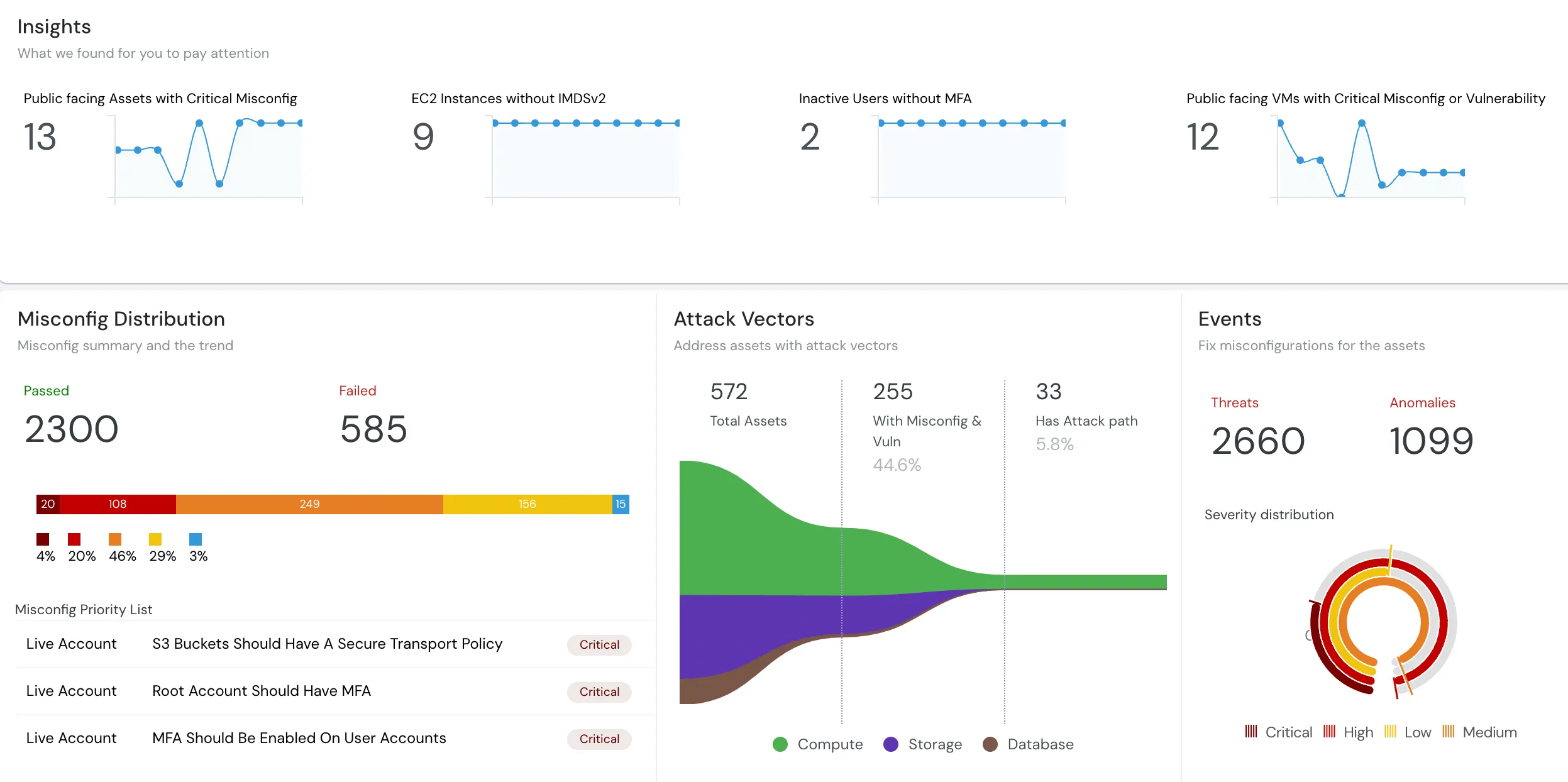
See your AWS security posture in 30 minutes. Connect your accounts — agentless, read-only, findings the same day. Book a free assessment →
Related Resources
- What is CSPM? Cloud Security Posture Management Explained
- Best CSPM Tools in 2026: 10 Platforms Compared
- CSPM for ECS-Heavy AWS Workloads: How a Small Team Secured 9 Accounts
- Top 15 Cloud Misconfigurations in 2026 and How to Fix Them
- A Complete List of AWS IAM Misconfigurations
- A Complete List of AWS S3 Misconfigurations
- Configuration Drift Management
- CNAPP vs CSPM: Which Do You Need?
- JIT Access: Eliminating Standing Privilege on AWS
- Cloudanix CSPM Platform













