Customer Snapshot
| Attribute | Details |
|---|---|
| Industry | SaaS Platform |
| Cloud Environment | AWS (9 accounts) |
| Workloads | ECS (90%), EC2 (9%), EKS (1%) |
| Code & CI/CD | GitLab (SaaS), GitLab Pipelines |
| IAM Profile | 70 users with read access, 5 to 6 with admin-write |
| Compliance | CIS, NIST with custom framework built on top |
| Team Size | 4 people and DevOps handling security fixes reactively |
| Existing Tools | AWS native tools (Trusted Advisor, Security Hub), open-source scanners |
| Focus Area | CSPM + Code Security |
The Situation: A Familiar SaaS Security Profile
This is a pattern we see regularly. A SaaS company that has been laser-focused on application security for the last three years; they built an in-house AppSec team, ran regular VAPT audits, and their application layer was in good shape. The team had done a decent job on that front.
But cloud infrastructure security had not received the same level of attention. Nine AWS accounts had grown organically over time without a landing zone or AWS Control Tower in place. No centralized guardrails, no standardized account baseline, and no unified visibility across accounts. The security posture of each account was essentially independent, with no way to see the aggregate picture or enforce consistency.
The team had tried open-source tools for cloud security (Prowler, ScoutSuite, or similar) and found what most teams find: they work for initial audits but hit a ceiling quickly. Limited rule coverage, no remediation guidance, no continuous monitoring, no correlation between findings, and no compliance mapping beyond basic CIS benchmarks. The team understood that open source could only offer limited coverage and had reached the point where they needed something more.
Their current fallback was AWS Trusted Advisor and native tools. Useful for basic hygiene, but not built to solve the problem they actually had.
The Core Tension
A 4-person team where DevOps is the one fixing broken things. Nine AWS accounts without centralized governance. Three years of application security maturity, but cloud posture management still in its infancy. The team’s focus had shifted to CSPM. They knew the gap was there, they just needed the right tool to close it without consuming what little bandwidth they had.
Where the Gaps Were?
AWS Trusted Advisor Is Not CSPM
This is one of the most common misunderstandings we encounter. AWS Trusted Advisor provides a set of best-practice checks across cost optimization, performance, security, fault tolerance, and service limits. It is useful. But it is not a Cloud Security Posture Management platform.
The differences that matter for a team in this situation:
- Coverage depth: Trusted Advisor runs approximately 50–60 security checks in its full form (Business/Enterprise support tiers). A dedicated CSPM platform runs 1,000+ checks across IAM, networking, storage, compute, logging, encryption, container configuration, and more, with rules specifically mapped to compliance frameworks.
- Compliance mapping: Trusted Advisor does not map findings to CIS, NIST, SOC 2, HIPAA, or any regulatory framework. For a team that has already built a custom compliance framework on top of CIS and NIST, there is no way to use Trusted Advisor as the evidence source for that framework.
- Remediation guidance: Trusted Advisor tells you what is wrong. It does not tell you how to fix it with specific actionable steps; much less provide copy-paste-ready CLI commands or infrastructure-as-code fixes.
- Multi-account visibility: Trusted Advisor operates per-account. There is no aggregated view across 9 accounts, no way to compare posture between accounts, and no way to identify systemic issues that repeat across the environment.
- Continuous monitoring: Trusted Advisor refreshes on a schedule. It does not capture CloudTrail events in real time or alert you when a new misconfiguration is introduced between scan windows.
For this team, Trusted Advisor had been useful as a starting point, but it could not answer the questions they were now asking: What is our aggregate posture across all 9 accounts? Where are the systemic issues? How do we map findings to our custom CIS/NIST framework? And how do we fix things without spending hours researching each finding?
No Landing Zone, No Guardrails
Without AWS Control Tower or a landing zone architecture, each of the 9 accounts had been set up independently. This is common in SaaS companies that grew quickly, and accounts were created for different environments (dev, staging, production) or different teams, without a centralized governance model applied retroactively.
The practical impact: Inconsistent IAM policies across accounts, no shared security baseline, no centralized logging strategy, and no way to enforce that a security control applied in one account is applied in all others. The 70 users with read access and 5–6 with admin-write access were managed per-account, with no unified identity view.
For a CSPM tool to be useful in this environment, it needs to connect to all 9 accounts independently, surface findings in a single unified view, and identify patterns/misconfigurations that repeat across accounts because no baseline was ever enforced.
Open-Source Ceiling
The team had already invested time in open-source cloud security scanning. The tools worked for point-in-time audits: run a scan, get a report, fix what you can, and move on. But they hit practical limits:
- No continuous monitoring: Scans are point-in-time. Between scans, new misconfigurations go undetected.
- Limited rule depth: Open-source scanners typically cover 100–200 checks. A SaaS company running ECS, EC2, and EKS across 9 accounts needs significantly more coverage, particularly around ECS task definitions, IAM roles for tasks, networking configurations, and container-specific security.
- No remediation playbooks: Findings come as a list of what is wrong, not how to fix it.
- No compliance framework mapping: CIS benchmarks are partially covered, but mapping to NIST controls or a custom framework requires manual work.
- No alert routing or workflow integration: Findings sit in a report. They do not flow into Jira, Slack, or PagerDuty as actionable tickets.
The team understood this ceiling. Their decision to evaluate dedicated CSPM platforms was driven by the recognition that open source had taken them as far as it could.
ECS-Specific Blind Spots
With 90% of workloads running on ECS, this team’s primary compute surface is containers — but not on Kubernetes. Most cloud security content and tooling focuses heavily on EKS/Kubernetes security. ECS has its own distinct security surface that is often under-addressed:
- Task definition misconfigurations: Privileged mode enabled, host networking, excessive capabilities, missing logging configuration, read-write root filesystem access.
- IAM roles for tasks: Over-permissive task execution roles and task roles that grant access far beyond what the container actually needs.
- Service networking: Security groups attached to ECS services that are overly broad, or services running in public subnets without justification.
- Secrets management: Hardcoded environment variables in task definitions rather than Secrets Manager or Parameter Store references.
- Logging gaps: ECS tasks without CloudWatch log configuration, meaning container output is lost and security-relevant events are unrecorded.
- Image provenance: Container images pulled from public registries without vulnerability scanning or digest pinning.
For a team whose infrastructure is 90% ECS, these are not edge cases, they are the primary attack surface. A CSPM platform that treats ECS as a first-class citizen rather than an afterthought is essential.
How Cloudanix Addresses This Situation?
Agentless Multi-Account Connection in 30 Minutes
Cloudanix connects to each AWS account via a read-only IAM role: no agents, no infrastructure changes, no Control Tower prerequisite. For a team without a landing zone, this is critical. You do not need to restructure your AWS organization before you can see your security posture. You connect the accounts as they are, and Cloudanix surfaces findings across all of them immediately.
The onboarding model is designed for a 4-person team that cannot afford a multi-week deployment project. Connect your first account, see findings within 15–30 minutes. Roll out across the remaining accounts at your own pace. The process is identical for each one.
Unified Posture View Across All 9 Accounts
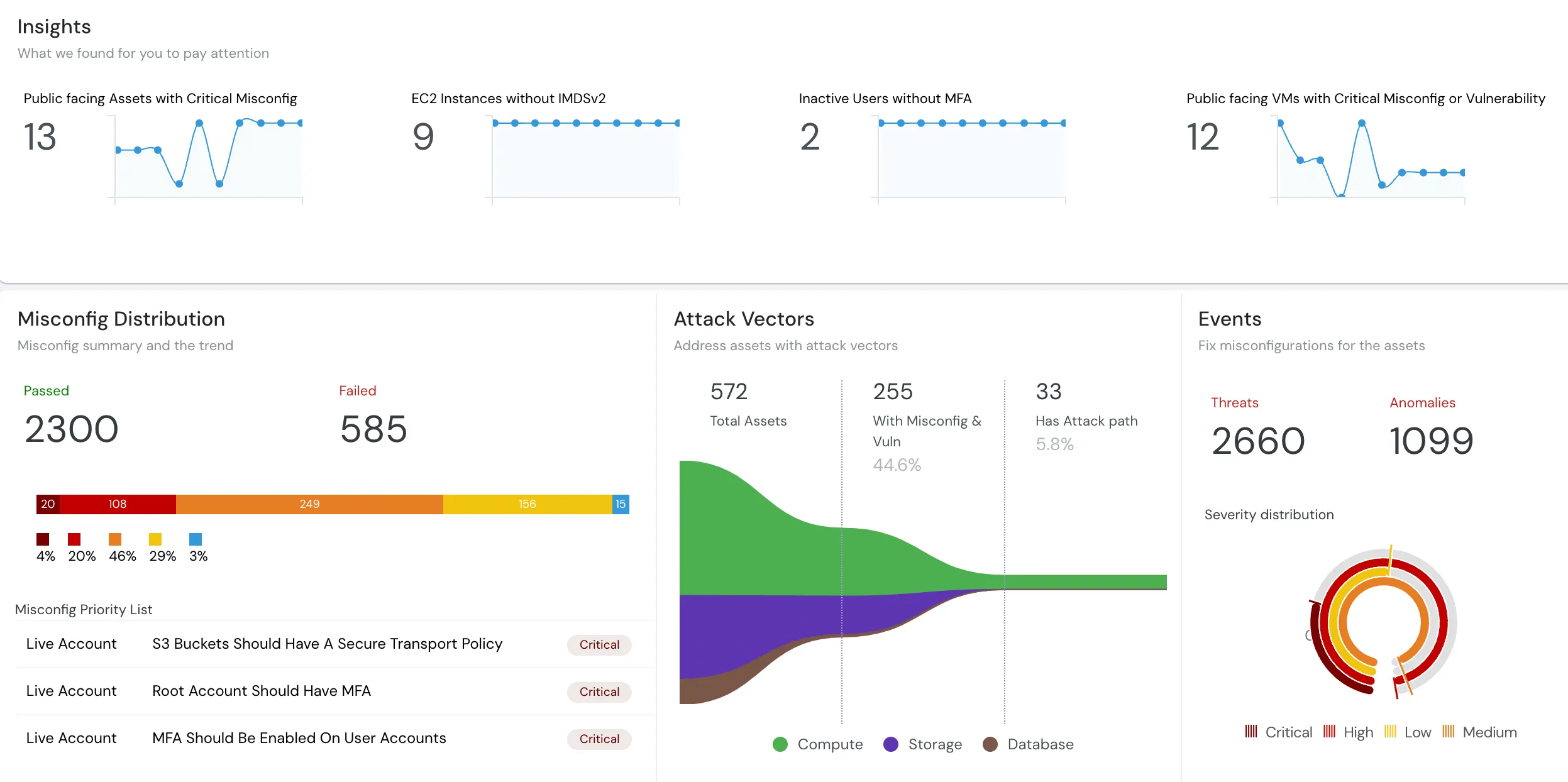
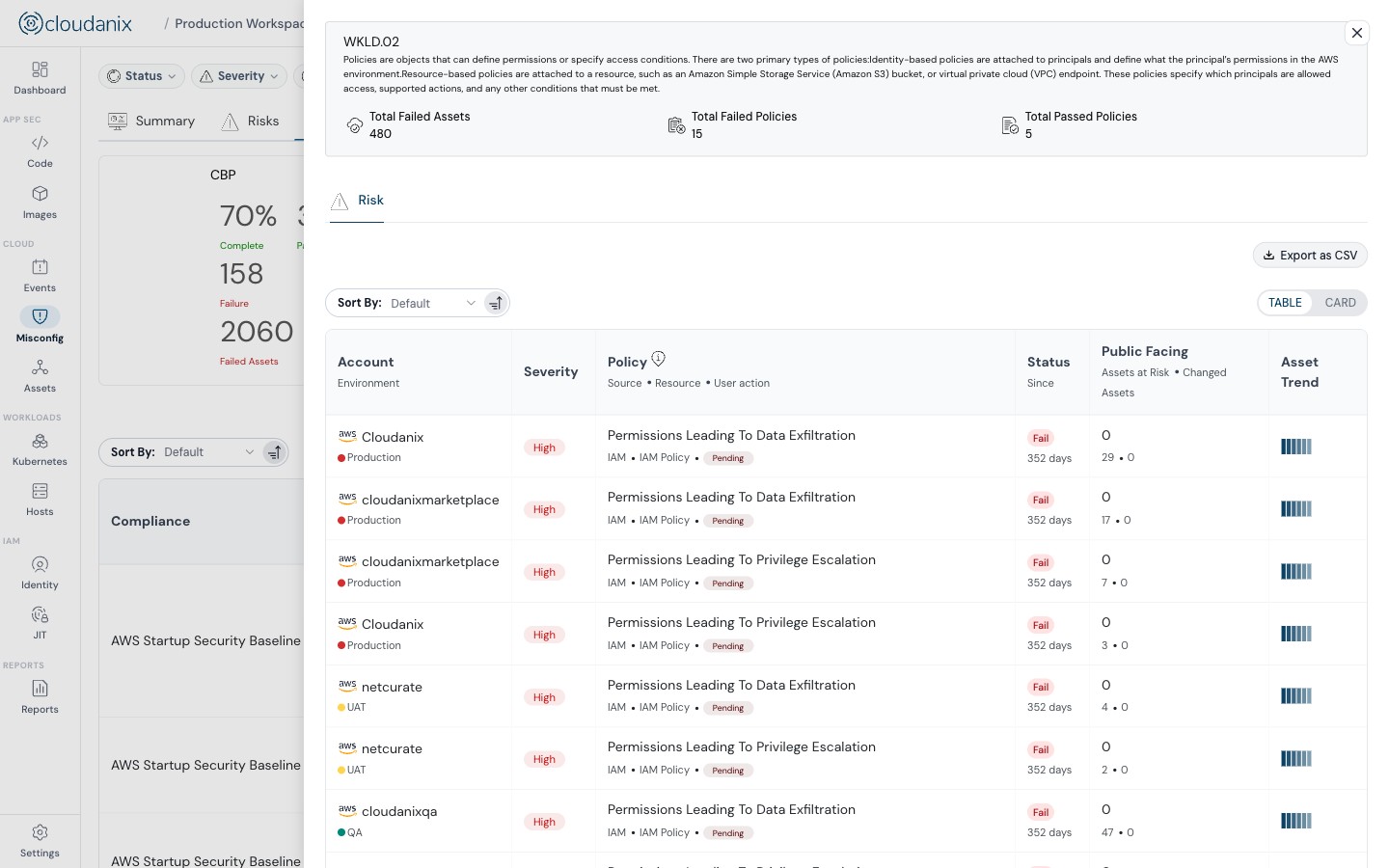
Once connected, all 9 accounts appear in a single dashboard. Findings are aggregated, deduplicated, and ranked by severity and blast radius. The team can immediately see:
- Which misconfigurations repeat across multiple accounts (systemic issues that indicate a missing baseline)
- Which accounts have the weakest posture relative to others
- Which specific services (ECS, EC2, IAM, S3, RDS, etc.) have the highest concentration of findings
- How their overall posture maps against CIS and NIST controls
This is the view that Trusted Advisor fundamentally cannot provide: a cross-account, cross-service picture that shows the team where to focus their limited time for maximum impact.
1,000+ Checks Including ECS-Specific Rules
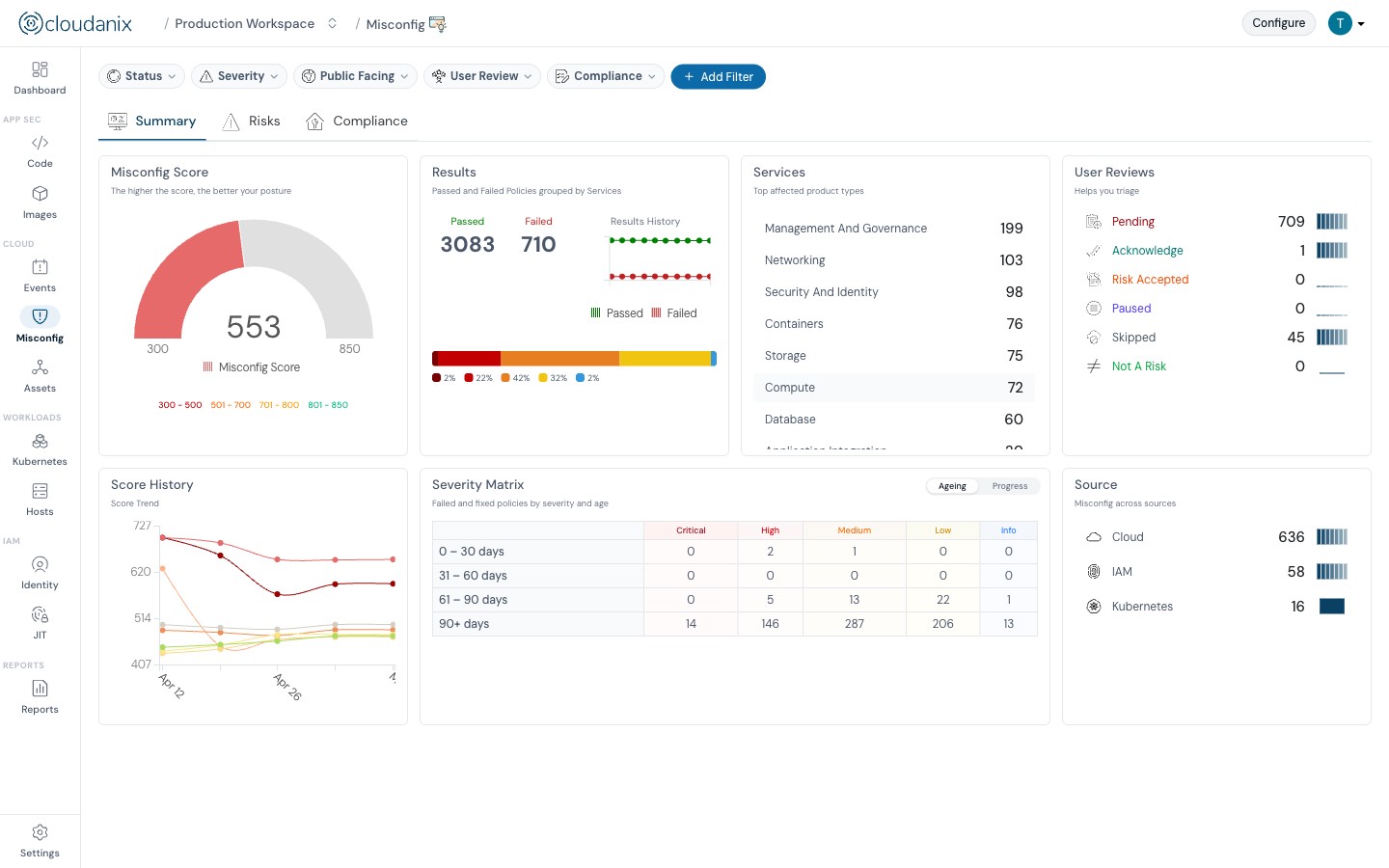
Cloudanix runs 1,000+ security checks across AWS services, with specific rules for ECS task definitions, IAM roles, networking, logging, and container configuration. For a team whose workload is 90% ECS, this means their primary compute surface is assessed with the same depth that most tools only apply to EC2 or EKS.
Checks cover:
- ECS task definition security: Privileged mode, host networking, capabilities, root filesystem access, logging configuration
- IAM roles for ECS: Task execution role permissions, task role least-privilege analysis
- ECS service networking: Security group assessment, subnet placement, load balancer configuration
- Container image security: Registry source, vulnerability findings, digest pinning
- Cross-service dependencies: Relationship between an ECS task, its IAM role, the VPC it runs in, and the data stores it accesses
GenAI-Powered Remediation Playbooks
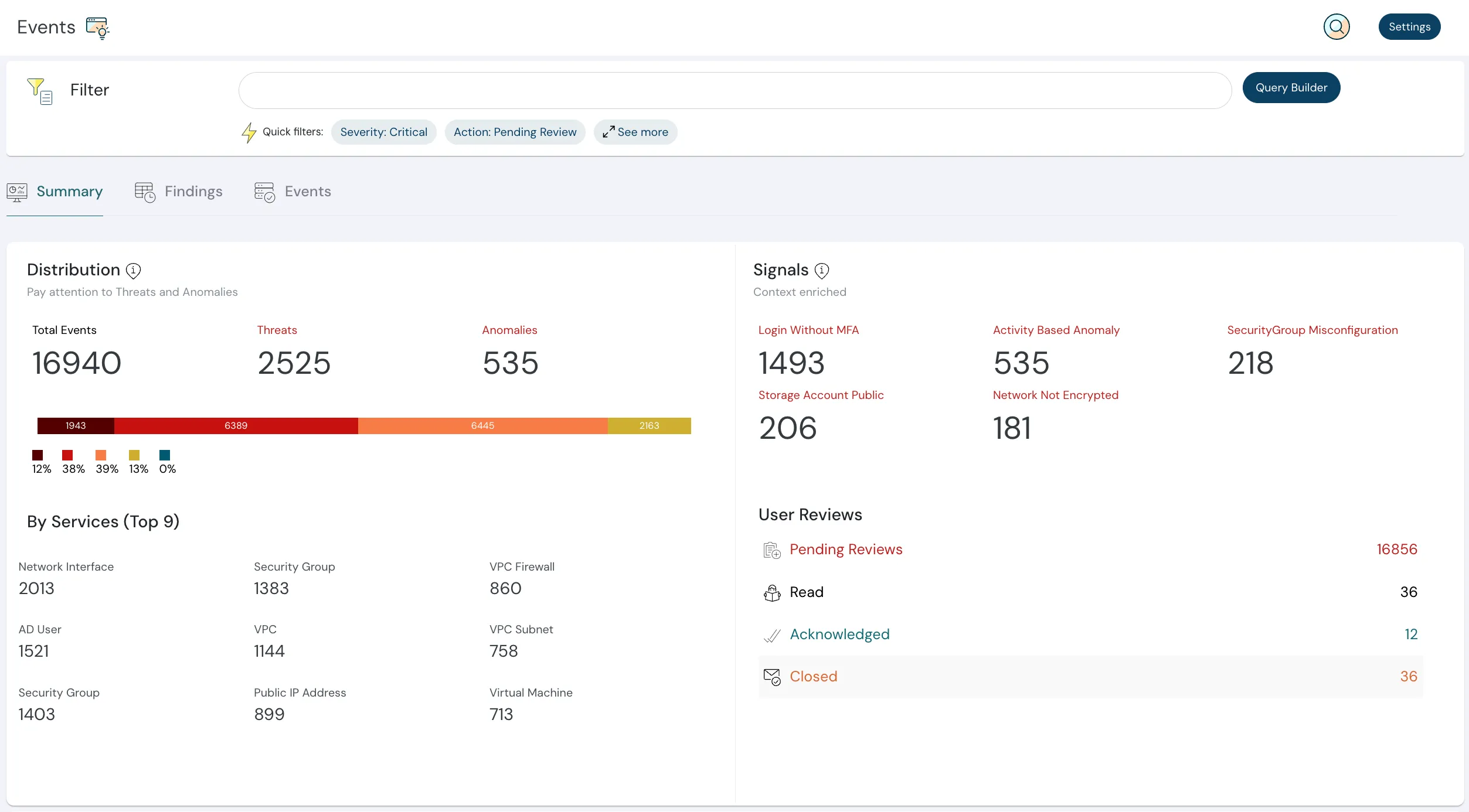
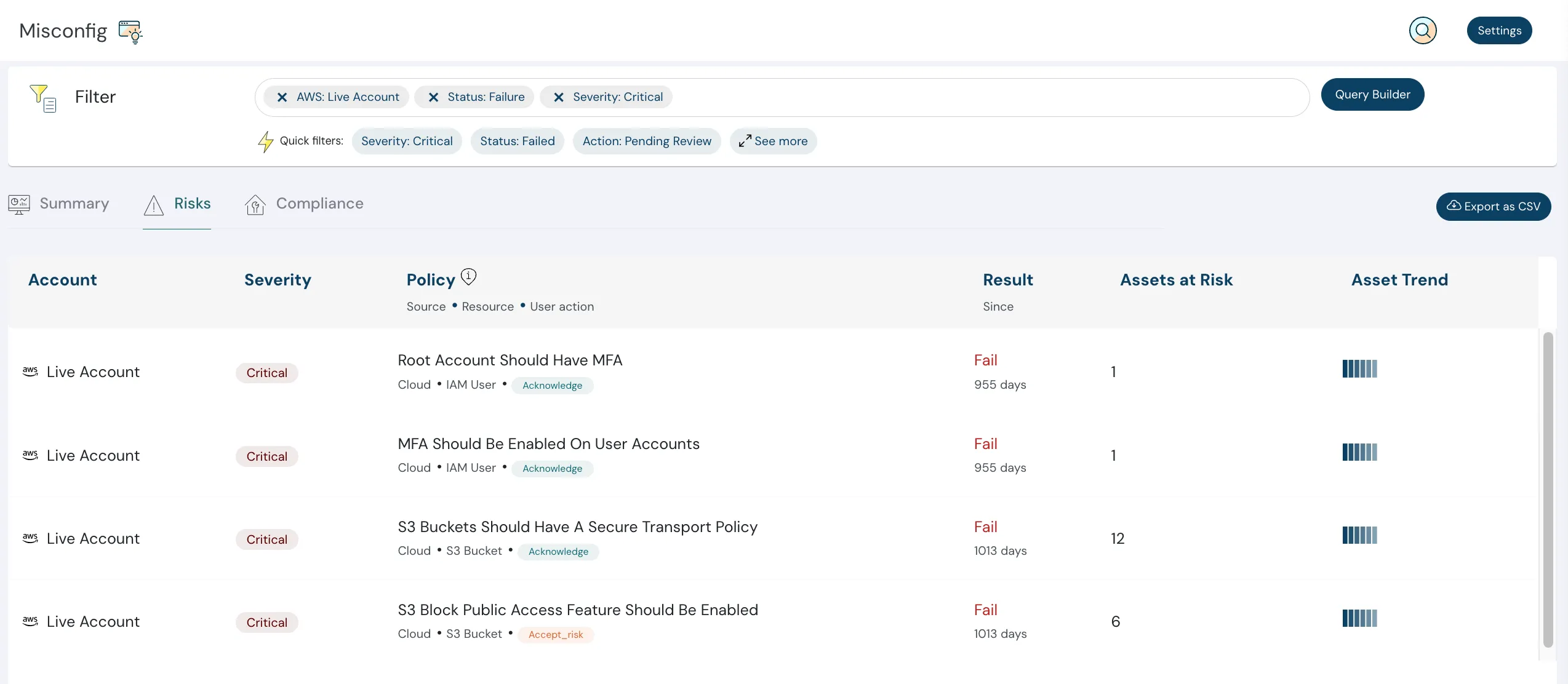
Every finding in Cloudanix includes actionable remediation guidance, not just “this is wrong” but “here is exactly how to fix it.” For critical and high-severity findings, GenAI-powered remediation playbooks provide:
- Step-by-step fix instructions specific to the resource and configuration.
- Copy-paste-ready AWS CLI commands.
- Infrastructure-as-code snippets (Terraform, CloudFormation) where applicable.
- Context on why the misconfiguration matters and what the blast radius is if left unaddressed.
For a team where DevOps is the one fixing broken things, this is the difference between an alert that generates research work and an alert that generates immediate action. The person fixing the issue should not have to spend 30 minutes understanding the finding before they can start the remediation.
CIS and NIST Compliance Mapping + Custom Framework Support
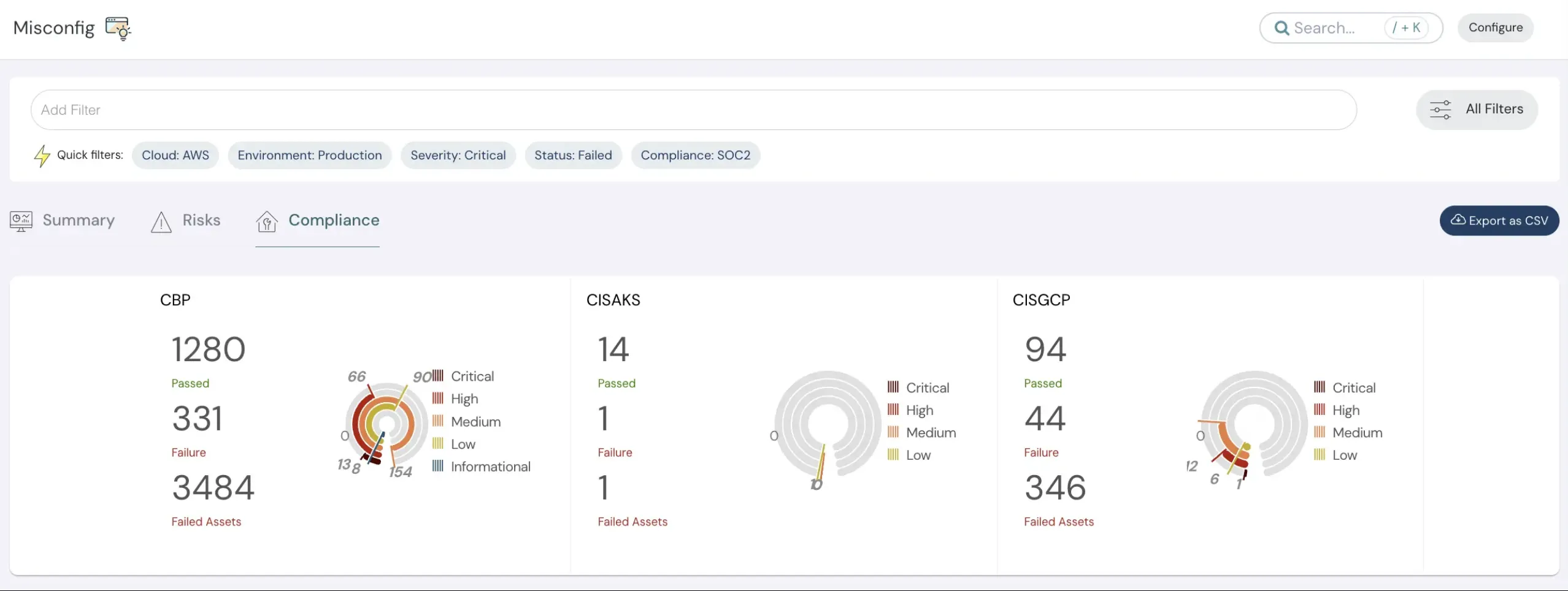
This team had used CIS and NIST as their foundation and built a custom framework on top. Cloudanix maps findings to CIS and NIST controls out of the box, with 15+ frameworks supported including SOC 2, ISO 27001, HIPAA, PCI DSS, and DPDPA.
For teams with custom frameworks, Cloudanix’s BYOR (Bring Your Own Rules) capability allows you to define custom checks and map them to your own control structure. This means the custom framework this team built on CIS/NIST can be represented in the platform, with findings mapped to their specific controls rather than only to the standard benchmarks.
Compliance evidence with actual audit artifacts that demonstrate posture against each control, is exportable directly from the platform in formats auditors accept. No manual aggregation, no spreadsheet assembly.
Real-Time Event Monitoring via CloudTrail
Unlike periodic-scan tools (including Trusted Advisor and most open-source scanners), Cloudanix captures CloudTrail events continuously. When a new IAM role is created, a security group is modified, or an ECS task definition is updated, the change surfaces in the platform immediately, and not at the next scan window.
For a team of 4 managing 9 accounts, this means they are not discovering last week’s misconfiguration in today’s scan. They are seeing changes as they happen, with the context to determine whether a change is expected or requires investigation.
Adaptive Notifications and Workflow Integration
Alert fatigue is real for a small team. Cloudanix addresses this with adaptive notifications and auto-snooze: repeated findings that have been acknowledged are not re-alerted continuously, and notification routing ensures the right person sees the right finding at the right time.
Integration with Jira means findings can be converted to tickets directly from the platform, matching this team’s existing workflow since they are already Jira users. Slack and PagerDuty integrations are also available for teams that prefer real-time messaging or on-call routing.
Platform Impact
15–30 min First findings after connecting an account | 9 accounts Unified in a single dashboard | 1,000+ checks Including ECS-specific rules | CIS + NIST Mapped out of the box with custom framework support
The Bigger Picture: Why This Profile Keeps Recurring
This company’s situation with strong application security, underdeveloped cloud posture management, a small team stretched across too many accounts, open-source tools that have hit their ceiling, is not unusual. It is one of the most common profiles in mid-market SaaS.
The pattern typically follows a predictable arc: the company focuses first on application security (VAPT, code scanning, pen testing) because that is where the immediate customer-facing risk lives. Cloud infrastructure grows in the background, accounts multiply, and by the time the team turns its attention to cloud posture, the surface is already too large for manual management or basic tooling.
The instinct at this point is often to lean harder on native tools (Trusted Advisor, Security Hub, GuardDuty) because they are already there and do not require procurement. And for a single-account, simple environment, they can be sufficient. But for 9 accounts without a landing zone, with ECS as the primary compute surface, with CIS/NIST compliance requirements, and with a 4-person team that is already stretched, native tools create a ceiling of their own: single-account views, limited rule depth, no remediation playbooks, and no cross-account correlation.
The move from native tools and open-source scanners to a dedicated CSPM platform is not about adding another tool to the stack. It is about replacing the manual, fragmented, point-in-time approach with continuous, unified, actionable visibility. For a team of 4 managing 9 accounts, the question is not whether they can afford a CSPM platform; it is whether they can afford to keep managing posture without one.
Key Outcomes
✅ 30-Minute Onboarding: Agentless connection to all 9 AWS accounts, no landing zone required.
✅ Unified Multi-Account View: Single dashboard across all accounts, surfacing systemic issues.
✅ ECS-First Coverage: 1,000+ checks including ECS task definitions, IAM roles, networking, and logging.
✅ Actionable Remediation: GenAI-powered playbooks with copy-paste CLI commands.
✅ CIS + NIST Mapping: Compliance evidence mapped to the frameworks they already use.
✅ Custom Framework Support: BYOR capability for their custom CIS/NIST-based framework.
✅ Real-Time Monitoring: CloudTrail event capture, not periodic scans.
✅ Jira Integration: Findings flow into their existing ticketing workflow.
✅ 4-Person Team Coverage: Full-surface CSPM without additional headcount.
Running ECS-Heavy Workloads Across Multiple AWS Accounts?
If your environment runs primarily on ECS, spans multiple AWS accounts, and your team has outgrown what Trusted Advisor and open-source scanners can provide, Cloudanix was built for exactly this situation. Agentless, 30-minute onboarding, 1,000+ checks, compliance mapping, and remediation guidance; all in one dashboard.
Book a Free Assessment to see what your AWS environment looks like through Cloudanix across all your accounts, in under 30 minutes.
Related Resources
- What is CSPM (Cloud Security Posture Management)?
- What is Cloud Native Application Protection Platform (CNAPP)?
- How to Use CSPM to Detect and Remediate Cloud Misconfigurations
- CSPM Tools Compared: What to Look for in 2026
- CSPM vs CNAPP: Navigating Cloud Security Evolution
- Top 15 Cloud Misconfigurations in 2026 and How to Fix Them
- Shift-Left Code Security for GitLab CI/CD Pipelines
- Container Security and Real-Time Visibility for Modern Cloud
- Securing a Scalable SaaS Platform
- From Tool Sprawl to a Single Dashboard: E-Commerce Cloud Security
- Securing Multi-Cloud Infrastructure