
What is Identity and Access Management?
Authenticate who has access to what
Identity and Access Management (IAM)
Identity and Access Management (IAM) is a security practice and business discipline that involves a combination of technologies and processes to ensure that the right users and machines have access to the right assets, while keeping fraudsters out.
IAM frameworks enable organizations to define user roles or group identities within their cloud infrastructure. Typically, IAM policies are formatted as text files containing identity and permission rules. For example, a team may allow a group of users to upload files to a specific location—but in real-world scenarios, organizations often manage hundreds or thousands of IAM policies.
Importance of IAM
IAM enables organizations to authenticate users and grant access only to necessary assets. Without IAM, it would be extremely difficult to manage access at scale or ensure secure collaboration.
If every user had the same level of access, it would expose the organization to serious security risks. Why should developers working on finance systems have the same access as those on HR teams?
Benefits of a strong IAM structure:
- Improved Security: Know who has access to what to prevent unauthorized access.
- Compliance: Align with standards like GDPR, HIPAA, PCI-DSS, and more.
- Increased Productivity: Reduce interruptions by ensuring focused access.
- Cost Optimization: Streamlined access reduces operational inefficiencies.
How IAM Works
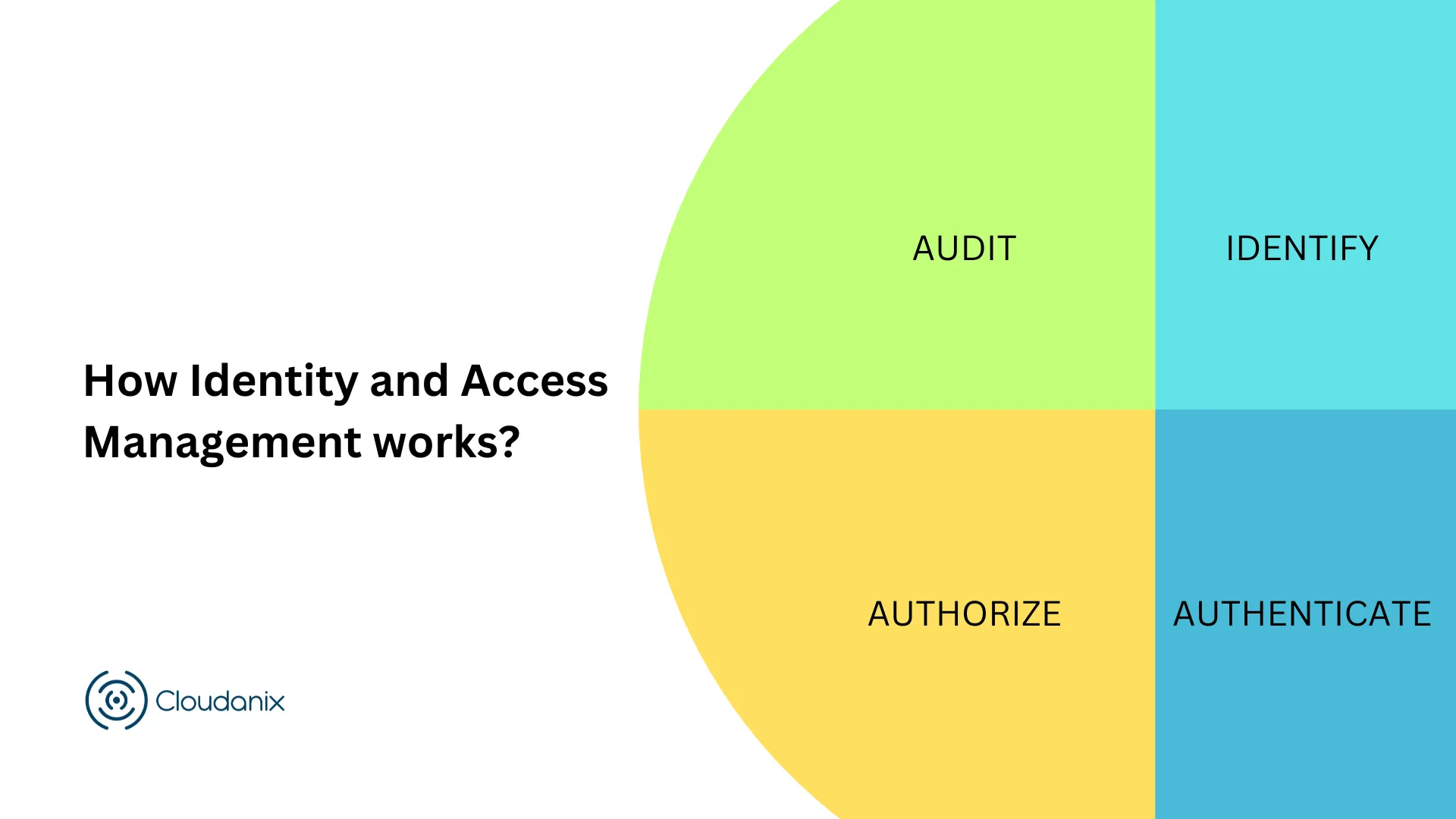
IAM consists of four fundamental processes:
- Identify – Use usernames, passwords, user roles, and attributes.
- Authenticate – Validate user credentials (e.g., password + MFA).
- Authorize – Grant access only to required resources.
- Audit – Track who accessed what, when, and what actions were taken.
Learn how Cloudanix CIEM helps simplify this: Cloud Compliance | CIEM | Cloudanix
Identity Management vs Access Management
Identity Management:
Manages digital identities across cloud and on-prem environments. It includes provisioning, updating, and deactivating user accounts securely.
Access Management:
Controls what each identity can access based on policies. Enables scalability, simplicity, and security in cloud-based operations.
Why Organizations Need IAM
Identity is one of the most common paths into an organization. According to Verizon’s 2026 Data Breach Investigations Report, the majority of breaches (62%) involve a human element, and identity-related vectors — credential abuse, phishing, and pretexting — together account for a large share of initial access. Weak or misconfigured IAM is what turns a single stolen credential into a full-blown breach.
IAM is a pillar of cloud security, reducing internal missteps and securing sensitive assets. It ensures compliance and enables organizations to confidently pass audits.
IAM and Regulatory Compliance
IAM plays a key role in maintaining compliance with:
- GDPR
- HIPAA
- PCI-DSS
- SOC 2
- and many other regional and industry-specific regulations
Insufficient IAM documentation can fail audits—even if other security layers are strong.
Additional Benefits of IAM
- Automation: Onboarding and offboarding users with ease.
- Anomaly Detection: Spot suspicious access behavior early.
- Enable Zero Trust: Enforce “never trust, always verify” at every layer.
- Mitigate Insider Threats: Secure access not only for employees but also contractors, clients, and partners.
Core IAM Concepts You Should Know
IAM has its own vocabulary, and getting the terms straight makes the rest of the practice easier to reason about.
- Identity — the entity being authenticated. This is broader than “a person.” It includes human users, but also service accounts, workload identities, and increasingly AI agents that act on their own.
- Principal — any identity that can make a request against a protected resource.
- Authentication — proving you are who you claim to be (a password, a token, a certificate, plus a second factor).
- Authorization — deciding what an authenticated principal is allowed to do. Authentication and authorization are distinct; passing the first says nothing about the second.
- Policy — the machine-readable rules that grant or deny access. In AWS these are JSON documents attached to users, groups, or roles.
- Role — a set of permissions an identity can assume temporarily rather than hold permanently. Roles are the foundation of short-lived, least-privilege access.
- Entitlement — the effective permission a principal actually has after all policies, group memberships, and inherited grants are resolved. This is usually far larger than anyone intended, which is why analyzing entitlements is its own discipline.
RBAC vs ABAC: Two Ways to Decide Access
Most IAM systems model authorization with one of two approaches, and mature environments blend them.
Role-Based Access Control (RBAC) grants permissions based on a role — “database administrator,” “billing viewer,” “release engineer.” Users inherit the permissions of the roles they hold. RBAC is simple to reason about and audit, but it drifts toward role explosion: every slightly-different need spawns a new role, and cleanup rarely keeps pace.
Attribute-Based Access Control (ABAC) grants permissions by evaluating attributes — the identity’s department, the resource’s tags, the time of day, the request’s source. Instead of “members of role X can do Y,” ABAC says “principals whose team tag matches the resource’s team tag can do Y.” ABAC scales well in large, dynamic environments because a single policy covers many cases, but it is harder to reason about and requires disciplined, consistent tagging to be trustworthy.
Neither is strictly better. RBAC is easier to explain to an auditor; ABAC is easier to maintain at scale. The failure mode for both is the same: permissions granted and never revoked.
The Problem of Standing Privilege
The single biggest weakness in most IAM programs is not weak passwords — it is permissions that never expire. Access gets granted for a project, an incident, or an onboarding, and then it lingers. Over months, principals accumulate entitlements far beyond what they use. This is privilege creep, and it directly enlarges the blast radius of any compromised credential.
The modern answer is to shrink standing privilege toward zero:
- Least privilege — grant only the permissions a principal actually needs, verified against real usage rather than what someone requested.
- Just-in-time (JIT) access — grant elevated permissions only when needed, for a bounded window, and revoke them automatically. Read more in What is IAM JIT?.
- Zero standing privilege (ZSP) — the end state where no identity carries privileged access by default; every sensitive action requires a fresh, time-boxed grant. See What is Zero Standing Privilege?.
These practices turn a stolen credential from a master key into a key that mostly opens empty rooms.
Machine and Non-Human Identities
In cloud environments, non-human identities — service accounts, CI/CD pipelines, containers, functions, and AI agents — usually outnumber human ones by a wide margin. They authenticate with keys and tokens instead of passwords, they rarely rotate credentials on their own, and no one gets a reminder when they leave. A leaked service-account key can be more dangerous than a leaked employee password precisely because it is less watched.
Treat machine identities as first-class IAM subjects: inventory them, attribute every one to an owner, scope their permissions tightly, rotate their secrets, and monitor their behavior for drift. Cloudanix governs non-human identities alongside human ones so both live in the same access model. This matters more every quarter as AI agents begin making autonomous API calls. See Understanding Non-Human Identities.
Implementing IAM
Before rolling out IAM, determine who owns its governance. Your IAM team should include representatives from IT, security, HR, and business operations.
Recommended steps:
- Make a list of applications and components users will interact with.
- Understand your cloud and on-premise architecture.
- Identify critical IAM features (e.g., MFA, SSO, privilege boundaries).
- Centralize your identity systems and adopt best practices.
- Evaluate the effectiveness of IAM regularly and scale based on findings.
IAM for Security Professionals
Cloudanix provides a central dashboard to manage IAM misconfigurations, monitor access boundaries, and enforce JIT access across AWS, Azure, and GCP.
IAM Tools You Should Know
MFA (Multi-Factor Authentication)
A process that requires multiple forms of identification—e.g., password + OTP or fingerprint.
How to set up MFA devices in AWS - Read the blog
SSO (Single Sign-On)
SSO allows users to log in once and access multiple applications seamlessly.
Developer’s guide to SSO for enterprise apps - Read the blog
Common IAM Mistakes to Avoid
Most IAM incidents trace back to a small set of recurring errors rather than exotic attacks:
- Wildcards in policies.
Action: "*"orResource: "*"is convenient and almost always wrong. It grants far more than the workload needs and turns a minor compromise into a major one. - Long-lived access keys. Static keys committed to a repo, baked into an AMI, or left in a config file are a leading source of breaches. Prefer short-lived credentials and role assumption.
- Skipping MFA on privileged accounts. The root account and any administrative identity should require a second factor without exception.
- Never reviewing access. Entitlements granted for a one-off task stay forever unless someone deliberately removes them. Schedule access reviews and act on the findings.
- Ignoring service accounts. Human accounts get offboarding processes; machine identities often do not. Orphaned service accounts are quiet, persistent risk.
- Confusing “who can” with “who does.” A principal’s granted permissions and its actual usage are usually very different. Right-sizing against real activity is what closes the gap.
How Cloudanix Helps with IAM
Cloudanix treats identity as the control plane it has become. Through CIEM, it analyzes effective entitlements across AWS, Azure, and GCP, surfaces over-privileged and unused permissions, and recommends right-sized policies based on actual usage. Just-in-time access replaces standing privilege with time-boxed grants for databases, Kubernetes, VMs, and SaaS — each request logged as audit evidence you can export for compliance. The unified asset graph adds attack-path context, so you can see not just that a role is over-privileged but whether that privilege actually reaches something sensitive.













