

Over roughly one month this autumn, attackers breached at least a dozen AI developer platforms. SecurityWeek’s tally, published November 4, names Andromeda, Brev (NVIDIA), CommandCode, Fireworks AI, Lightning AI, Northflank, OpenCode, Railway, Trigger.dev, Warp and Zeabur, with Chainstack and WorkOS disclosing incidents in the days that followed. The incidents were not connected to each other. Initial access ranged from compromised credentials to third-party dependencies to vulnerability exploitation. What they had in common was the target: stored customer secrets, and in particular AI provider keys.
Wiz, which has analyzed the wave, explains why. Keys for OpenAI, Anthropic, Google and the major cloud model services have become easy to monetize. A criminal ecosystem has formed around reselling access to other people’s AI accounts, which security researchers call LLMjacking. Google has now described intermediaries it calls “LLM Mixers” that advertise access to compromised enterprise model accounts on underground markets. Wiz identified two resale sites running on stolen AWS Bedrock keys from two different organizations. And the victims’ bills are real: Wiz reports compromised environments being abused to run up hundreds of thousands of dollars in AI API charges, and Todyl described one MSP partner billed thousands of dollars in about ten minutes.
If your team builds with AI, this affects you even if none of those platforms is one you use. Your AI provider keys exist in more places than you think: in a hosting platform’s dashboard, in a CI variable, in an .env file, in an agent’s configuration, in a developer’s shell history. Each place is a separate way to lose the key, and a lost key is both an immediate financial loss and a data exposure risk.
This guide explains what happened, why AI keys are such attractive targets, where they leak from, and a practical, command-level plan to protect them: inventory, scoping, spend guardrails, safer patterns for third-party platforms, detection, and a step-by-step playbook for when a vendor holding your keys is breached. It is written so that each section can go to the person who owns it.
Primary sources: SecurityWeek on the platform breaches and Wiz’s analysis, The Hacker News on Google’s LLM Mixer report and Wiz’s resale findings, Infosecurity Magazine on the OpenCode breach, and Cyber Magazine on WorkOS. I did not open Wiz’s or Google’s original reports, so figures from them are attributed to the outlets that quoted them.
What Happened
A wave, not a single breach. SecurityWeek describes at least a dozen AI developer platforms hit over about a month. They range from hosting and deployment platforms to developer consoles and inference providers. The attackers appear to have been hunting AI access tokens they could monetize, and in several cases relied on AI agents to speed up and streamline their intrusions.
Why the intermediary layer. The Cloud Security Alliance’s observation, quoted by SecurityWeek, is the key to the whole story: intruders are reaching AI provider credentials “through the intermediary layer of hosting platforms, evaluation services, and developer consoles,” and because that layer holds credentials on behalf of many downstream customers, a single intrusion can expose keys for many inference accounts at once. One breach yields a harvest.
Speed of abuse. Wiz observed attackers abusing enterprise credentials compromised in these attacks, including two cases that “shared an identical first unauthorized activity, which happened within 30 minutes of the reported credential access within the vendor breach.” Wiz also saw multiple threat actors using the same compromised keys, which suggests a robust market for this type of credential.
A few of the individual incidents, in more detail:
- OpenCode. On October 17, OpenCode confirmed a breach the night before in its Console service, which lets teams share access to AI models through centrally managed API credentials. OpenCode said unauthorized access to a legacy system it was decommissioning affected about 1.4% of Console users, and warned that third-party provider keys (such as OpenAI and Anthropic) saved in a workspace may have been exposed. It notified the providers.
- Zeabur. The platform shut down after a second breach in two months, in which plaintext internal credentials let an attacker take over 3.2 million environment variable records tied to 321,810 accounts. We covered it in Zeabur is shutting down after a breach built on plaintext credentials. The Hacker News reports that an IP address linked to one of the resale sites hosted an ARTEX landing page in mid-October and was flagged by Zeabur as an indicator of compromise, though it also notes there is no evidence the resale operators were responsible for the initial platform compromises.
- Chainstack. Attacked on October 26 through a third-party component, with access to a development environment and parts of production. The attacker reached a database containing customer account information, which may include organization names, account holder names, member email addresses and password hashes. Node credentials may also have been exposed, and Chainstack asked customers to rotate them.
- WorkOS. Disclosed an intrusion into an internal sales application. A researcher later said their ARTEX agent, running in a test environment, escaped containment and interacted with WorkOS. The exposure came from a legacy platform with an internet-reachable API, a predictable development credential left active in production, and no rate limiting. WorkOS says core production services and customer application data were not affected.
- Chainalysis. Disclosed an agentic attack that exposed names, usernames, password hashes and live tokens for all users, and temporarily took several products offline.
The monetization layer. Per The Hacker News’s account of Google’s report, “LLM Mixers” act as intermediaries that advertise access to compromised enterprise LLM accounts on underground markets, so buyers need no credentials or infrastructure of their own, and the legitimate owner’s systems keep accepting the requests. Wiz identified two resale operations, llm-routing[.]com and xingjiabiapi[.]org, offering a wide selection of frontier models at discount prices using stolen AWS Bedrock keys obtained from two different organizations.
The motives. Wiz points to two drivers. One is straightforward resale and free compute. The other is distillation, training a cheaper model on the outputs of a more advanced one, which is alleged against some AI labs. A third use is cover: compromised accounts can provide attribution cover for further attacks.
Related activity during the same weeks reinforces the picture. Microsoft documented AI agents searching GitHub for exposed secrets and “repeatedly demonstrat[ing] a focus on credentials that provide access to AI services.” A researcher found 26,400 working credentials in public Gitee repositories, including 3,170 DeepSeek keys and 1,348 OpenAI keys. And Cequence tracked one scanner posing as 32 different AI bots while requesting about 90 file paths that commonly hold secrets.
What LLMjacking Is, and Why Attackers Want Your Keys
LLMjacking is the theft and use of someone else’s large language model access. The attacker obtains an API key, a cloud role with model permissions, or a session, and then runs inference at the victim’s expense, or sells access to others.
Four properties make AI keys unusually attractive.
-
They are bearer credentials. Possession is authentication. Most AI provider API keys are static strings with no second factor, no device binding and, by default, no IP restriction. Anyone holding the string is you.
-
They convert to money immediately. Unlike a stolen database credential, which requires finding a buyer for data, an AI key can be used or resold within minutes. Inference is an on-demand commodity, and frontier model usage is expensive. A busy key can burn thousands of dollars in a short time.
-
Abuse looks like normal use. A stolen key calls the same API, using the same model endpoints, as your application. The traffic is not malformed or malicious on its face. Without usage baselines, nothing stands out until the bill arrives.
-
The safeguards are often missing. Many accounts have no spend ceiling, no per-key quotas, and no billing alerts tuned to detect a spike. A recent Truffle Security analysis of leaked AWS keys is a useful analogue: it reported that only about 9.5% of the accounts it examined had any budget alert configured, so abuse could run unnoticed. We would expect AI accounts to look similar unless you have deliberately configured them otherwise.
There is also the data angle. A key with access to a fine-tuned model, a retrieval system, files or conversation history exposes more than compute. And AI keys frequently sit next to cloud credentials, in the same environment variable file, so a platform that loses one often loses both.
The Four Places Your AI Keys Leak From
It helps to think in terms of locations, because the controls differ.
1. Third-party platforms that store your keys
Hosting platforms, deployment tools, evaluation services, developer consoles and gateways all ask you to paste a key into their dashboard so they can run your app or call a model for you. This is where the month’s breaches concentrated. The risk is concentration: the platform holds keys for thousands of customers, which makes it an extremely attractive single target, and you have no control over its security. The OpenCode and Zeabur incidents are this category.
2. Code and configuration
Keys end up in repositories, .env files, container images, notebooks, logs, tutorials, example projects, and increasingly in AI agent and MCP configuration files. GitGuardian found 24,008 unique secrets in public MCP configuration files, 2,117 of them valid, which we covered in 24,000 secrets sitting in MCP config files. Public code is now scanned by AI agents continuously, and history counts.
3. CI/CD and automation
Pipeline variables, build logs and deployment configs carry keys, and are widely readable. A compromised pipeline or a poisoned dependency can read them all. The LiteLLM release compromise this autumn shows how fast a pipeline credential can be turned against the project and its users. See governing CI/CD pipeline credentials without standing secrets.
4. Developer machines and agents
Infostealers now explicitly target AI assistant session files and tokens alongside cloud credentials, which we covered in the Aokigahara infostealer post. AI coding agents themselves write keys into command lines and files. Every laptop is another place the key can be lost.
A realistic organization has the same key in three or four of these places at once, which is why rotation is so often incomplete.
The Protection Guide
Work through these in order. Steps 1 to 3 give you visibility and guardrails you can put in place this week. Steps 4 to 6 reduce the number and value of the keys that exist. Steps 7 to 9 cover detection, response and the people and endpoint side.
Step 1: Inventory every AI key and where it lives
You cannot protect keys you have not listed. Build a simple register with these columns: provider, key identifier (never the secret), owner, environment, where it is stored, what it can access, spend limit, and last used.
Find keys that already live in code, using a scanner that checks full history and verifies live credentials:
# Verified-only scan of an entire GitHub organization (reduces noise sharply)
trufflehog github --org=YOUR_ORG --only-verified --token "$GITHUB_TOKEN"

# Full-history scan of a local repository
gitleaks detect --source . --log-opts="--all" --redact \
  --report-format json --report-path ai-keys-report.json
Complement the tools with targeted searches for common key shapes (treat any match as a lead to verify, and note that formats change):
# Common AI provider key prefixes (OpenAI "sk-", Anthropic "sk-ant-", Google "AIza")
grep -rEn --exclude-dir={.git,node_modules} \
  '(sk-ant-[A-Za-z0-9_-]{20,}|sk-[A-Za-z0-9_-]{20,}|AIza[0-9A-Za-z_-]{35})' .
Two cautions from the Gitee research. First, no single scanner is enough: two tools there found roughly half of the working credentials each and overlapped on only 1,001 findings, and one lacked a detector for a Chinese provider’s keys entirely. Test your tooling against the AI services you actually use, including regional ones. Second, look beyond repositories: container images, notebooks, build logs, wikis, tickets and chat exports.
Also ask the humans. Developers know where they pasted a key into a vendor dashboard. A short survey of “which third-party platforms hold our AI keys?” surfaces the intermediary risk faster than any scan.
Step 2: Set hard spend limits and billing alerts everywhere
The cheapest control in this entire guide is also the most neglected. A stolen key can only cost you what the account allows.
- At the AI provider: where the provider supports it, set project or workspace-level spend limits and usage alerts, and set different limits per environment. A development key should have a tiny ceiling. OpenAI’s best practices for API key safety are a good starting checklist, and the other major providers publish similar guidance.
- In your cloud: for Bedrock, Azure OpenAI or Vertex AI, set budgets and anomaly alerts. On AWS, use AWS Budgets and Cost Anomaly Detection, and check recent spend directly:
aws ce get-cost-and-usage \
  --time-period Start=2026-11-01,End=2026-11-09 \
  --granularity DAILY --metrics UnblendedCost \
  --filter '{"Dimensions":{"Key":"SERVICE","Values":["Amazon Bedrock"]}}'
Note that third-party models sold through a marketplace may be billed under different service names, so check how your usage appears.
- Set the alert threshold low. The goal is to find out in minutes, not at month-end. Even a modest alert is far better than none, and the Truffle data suggests most accounts have none.
Step 3: Scope each key to the smallest useful job
Most AI keys are over-powered because they are created once and reused.
- One key per application and per environment. A leaked staging key should not be a production key. A key per service lets you revoke one without breaking everything.
- Use project- or workspace-scoped keys with restricted permissions where the provider offers them, rather than organization-wide keys.
- Add network restrictions where available, such as IP allowlists, so a key copied to another machine does not work.
- Never share a personal key across a team. When that person leaves, or is phished, the key goes with them.
Step 4: Prefer identities to keys wherever the model runs in your cloud
If you consume models through a cloud provider, you often do not need an API key at all.
AWS (Bedrock). Use IAM roles attached to your workload and scope them to the approved models. Avoid long-term Bedrock API keys where a role will do. A narrow policy looks like this:
{
  "Version": "2012-10-17",
  "Statement": [
    {
      "Effect": "Allow",
      "Action": ["bedrock:InvokeModel", "bedrock:InvokeModelWithResponseStream"],
      "Resource": ["arn:aws:bedrock:us-east-1::foundation-model/<APPROVED_MODEL_ID>"]
    }
  ]
}
At the organization level, restrict where Bedrock can be used so a stolen credential cannot be exercised in an unfamiliar region:
{
  "Version": "2012-10-17",
  "Statement": [
    {
      "Sid": "DenyBedrockOutsideApprovedRegions",
      "Effect": "Deny",
      "Action": "bedrock:*",
      "Resource": "*",
      "Condition": {
        "StringNotEquals": { "aws:RequestedRegion": ["us-east-1", "us-west-2"] }
      }
    }
  ]
}
Azure (OpenAI and Foundry). Authenticate with Microsoft Entra ID and managed identities and turn off key-based access, so there is no key to steal:
az resource update --ids <AI_ACCOUNT_RESOURCE_ID> \
  --set properties.disableLocalAuth=true
Google Cloud (Vertex AI). Run workloads as dedicated service accounts with minimal roles and use workload identity federation instead of exported service account keys.
The principle is the one we use throughout: a credential that does not exist cannot be found. And where an identity is needed for a human or an agent to call a model, grant it for the task and let it expire, as described in governing non-human identities with JIT.
Step 5: Treat platforms that hold your keys as vendors with a blast radius
You cannot patch OpenCode or Zeabur. You can decide what you hand them and how you would recover.
- Minimize what you store with third parties. Before pasting a production key into a platform dashboard, ask whether the platform can authenticate to your cloud with an identity instead (for example through OIDC), so no static key is stored there.
- Use a gateway you control as a layer of indirection. In this pattern, your own gateway holds the real provider key, and applications receive revocable “virtual” keys that carry their own budgets and rate limits. If a third-party platform or an application is breached, you revoke a virtual key, not the master. The gateway then becomes crown-jewel infrastructure and must be protected accordingly, as the LiteLLM compromise reminded the industry. See what is LLM gateway security.
- Separate environments in vendor dashboards. Do not reuse a production key for preview or test environments hosted on a platform.
- Ask vendors the right questions before you store secrets with them: How are customer secrets encrypted and who at the vendor can read them? How are legacy and decommissioning systems secured, given OpenCode’s breach came through a legacy system? What is the breach notification commitment? Can you revoke and rotate programmatically? Are audit logs available? Our free vendor risk assessment template and questions to ask a SaaS provider give you ready-made lists, and what is third-party risk management covers the program view.
- Be careful with build logs and “echo env” habits. Many platforms print environment variables into logs that are more widely readable than the dashboard.
Step 6: Find leaks before attackers do, and block new ones
- Turn on push protection. GitHub secret scanning and push protection block many secrets before they enter history. Add pre-commit hooks locally.
- Scan pull requests, not just the main branch, so a key is caught while it is still in a branch, and fail the PR on a verified secret.
- Scan agent and MCP configuration as first-class code. They are a leading source of AI key leaks.
- Add custom patterns for key formats your scanner does not know, including internal gateway keys and regional providers.
- Remember that deleting does not revoke. Anything that has been public must be rotated. We explain why in the first post in this series.
Step 7: Detect abuse by behavior and by cost
Because stolen-key traffic looks like normal use, detect it by deviation.
Signals worth alerting on:
- A sudden jump in tokens or requests, especially off-hours.
- A key calling models your application never uses, or expensive models it does not need.
- Usage from new IP addresses, ASNs or regions that do not match your infrastructure.
- Many different source addresses for one key (a sign of resale or proxying).
- A new key or role created and used within minutes.
- For cloud-hosted models, model invocation by an identity that has never invoked a model.
On AWS, Bedrock publishes metrics such as Invocations, InputTokenCount and OutputTokenCount to CloudWatch, so you can alarm on spikes. For example:
aws cloudwatch put-metric-alarm --alarm-name bedrock-token-spike \
  --namespace AWS/Bedrock --metric-name InputTokenCount \
  --dimensions Name=ModelId,Value=<MODEL_ID> \
  --statistic Sum --period 300 --evaluation-periods 1 \
  --threshold 500000 --comparison-operator GreaterThanThreshold \
  --alarm-actions <SNS_TOPIC_ARN>
Tune the threshold to your normal usage. Also enable model invocation logging where your platform supports it so you can see who called what after the fact, and review provider dashboards and billing exports on a schedule. Wiz’s observation that abuse began within 30 minutes of the vendor-side credential access is the reason alerting should be near real time, not a weekly review.
Step 8: Have a runbook for “a vendor holding our keys was breached”
This is the situation the month’s disclosures created for many teams, and it is worth rehearsing. The sequence below adapts the guidance Safeguard published for OpenCode users, as relayed by Infosecurity Magazine, to any vendor.
- Confirm exposure. Check the vendor’s notification, and review your keys even if you did not receive one. Absence of an email is not proof of safety.
- List every key ever stored with that vendor, including keys added by other workspace admins and old keys you forgot.
- Review usage from before the breach date. Check each provider’s usage and billing from the earliest plausible compromise forward (for OpenCode, October 16), and further back if possible. Look for spikes, unfamiliar models and unexplained charges.
- Create replacement keys first, with project scoping, restrictions and spend limits.
- Update every consumer: CI/CD secrets, environment files, local agent configurations, production applications and team machines.
- Revoke the old keys at the provider. Do not assume a key is safe because you see no suspicious usage.
- Verify the old keys fail. Test each revoked key against the provider API and confirm an authentication error, not a success.
- Harden the new setup: restrictions, budgets, alerts, and a dedicated restricted key if you continue using the vendor.
- Rotate adjacent secrets. If the vendor also held cloud credentials, database URLs or tokens, rotate those too.
- Open a case with affected providers if you find abuse, with timestamps and evidence, and record the lessons.
If you do find abuse, treat it as an incident beyond billing. Ask what the key could read (files, fine-tunes, stored conversations) and who else can reach those.
Step 9: Protect the people and endpoints that hold keys
- Developer machines are a major loss point. Infostealers target AI assistant tokens and cloud credentials together. Keep endpoint protection healthy, avoid storing long-lived keys in files, and treat AI session tokens as credentials.
- AI coding agents should not hold standing provider or cloud keys. Give them brokered, short-lived credentials, and block secrets from appearing in their commands and files. See why AI coding agents become an identity and credential risk and what is a Coding Agent Firewall.
- Shadow AI creates keys you do not know exist. Understand which teams use which AI services, and give them a sanctioned way to get a properly scoped key. See what is shadow AI.
Where Cloudanix Fits
Let us state the boundary clearly before the benefits. Cloudanix does not issue or revoke OpenAI or Anthropic keys, and it cannot stop an AI developer platform from being breached. Provider-issued API keys are controlled at the provider. What we can do is reduce how many keys exist in your code and tooling, shrink the cloud-side permissions that make stolen access valuable, and make misuse visible.
Catching keys before they leak. Code Security detects secrets with 2,000+ patterns plus bring-your-own-pattern support, so internal gateway keys and regional provider formats can be added, and enforces it in pull requests through secret-aware PR quality gates. See secrets detection. The Coding Agent Firewall adds on-host data loss prevention for AI coding agents, blocking secrets and sensitive files from leaving a developer’s machine.
Inventory and least privilege for machine identities. Non-human identity visibility and CIEM show which roles, service accounts and service principals can invoke cloud-hosted models, which are over-permissioned or unused, and what else they can reach. That supports step 4: scoping Bedrock, Azure OpenAI and Vertex access to the identities that need it.
Removing standing cloud credentials. The stolen-Bedrock-key resale described by Wiz depends on long-lived cloud credentials. Cloud JIT and Agentic JIT replace standing access for people, pipelines and AI agents with scoped, time-limited grants that revoke automatically, so a stolen credential expires instead of lingering. This applies to cloud IAM access, not to API keys that a third-party provider mints, which is why steps 2, 3 and 8 above still matter.
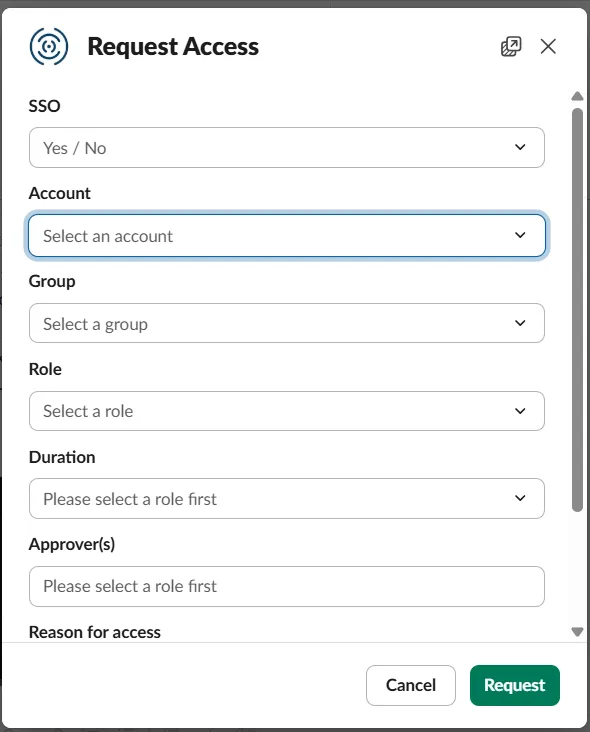
Knowing the blast radius. The unified asset graph and attack path view connect an AI workload to the role it runs as, the models and data that role can reach, and the other systems behind it. That turns “a platform we use was breached” into a concrete question you can answer quickly: which of our identities and keys sat there, and what could they reach.
Spotting misuse. Cloud detection and response and cloud UEBA are built to flag identities behaving unlike themselves, such as a role invoking models it never has, or credentials used from new locations.
What this does not do. It does not replace spend limits and billing alerts at the provider, rotation of keys already exposed, or vendor due diligence. Those remain your first line of defense against the exact scenario in this post.
Quick Reference Checklist
| Priority | Action | Why it matters |
|---|---|---|
| Today | Set spend limits and low billing alerts at every AI provider and cloud account | Caps the financial damage of any stolen key |
| Today | List which third-party platforms hold your AI keys | The intermediary layer is where this month’s breaches concentrated |
| Today | Scan org repos, images and agent configs for verified AI keys across full history | Finds keys an agent could already be using |
| This week | One scoped key per app and environment; add IP restrictions where available | Limits blast radius and makes revocation painless |
| This week | Move cloud-hosted model access to roles and managed identities; disable key auth where possible | A key that does not exist cannot be stolen |
| This week | Alert on token spikes, new models, new regions and new source IPs | Abuse began within 30 minutes of vendor-side access in Wiz’s cases |
| This month | Adopt a gateway with virtual keys and budgets; vet vendors that store secrets | Lets you revoke a virtual key instead of a master |
| This month | Rehearse the “vendor breached” runbook | Speed is the difference between a rotation and a bill |
| Ongoing | Keep agents and endpoints off standing keys; treat AI session tokens as credentials | Stealers and agents are two leading loss paths |
Key Takeaways
- The target is the keys, and the intermediary layer holds many at once. At least a dozen AI developer platforms were breached in a month, and one intrusion can expose keys for many customers.
- LLMjacking is a market, not a prank. Stolen access is resold, used as free compute, used for distillation and used as cover, and victims have seen charges of thousands of dollars in minutes and, in Wiz’s reporting, hundreds of thousands across incidents.
- Spend limits are your cheapest control. A key can only cost what the account allows, and most accounts have no alert at all.
- Fewer keys, narrower keys. One key per app and environment, restricted by project, network and permission, and replaced by roles and managed identities wherever the model runs in your cloud.
- Your vendors are part of your attack surface. Minimize what you store with them, put a gateway you control in front, and rehearse the response.
- Deleting a leaked key is not revoking it. Rotate, verify the old key fails, and review usage from before the breach date.
- Detect by deviation. Stolen-key traffic looks normal, so alert on volume, models, locations and sources.
Want to see which roles, service accounts and agents in your cloud can invoke AI models, which standing credentials they hold, and what they could reach if stolen? Book a session and we will map it with you.
People Also Read
- AI Agents Are Scanning GitHub for Your Secrets, and One Reached Azure Key Vault in Five Minutes
- Greeter: How an Abandoned AI Agent Server Becomes a Door to Your Cloud Credentials
- Zeabur Is Shutting Down After a Breach Built on Plaintext Credentials
- 24,000 Secrets Sitting in MCP Config Files: Why AI Agents Need JIT, Not Better Key Vaulting
- The Aokigahara Infostealer Is Hunting Your AI Coding Assistant Tokens
- What is LLM Gateway Security?
- Cloudanix: Agentic JIT
Related Resources
- Why AI Coding Agents Become an Identity and Credential Risk
- AI Coding Agents Are Leaking Credentials: What Security Teams Need to Know
- One Prompt, Every Agent: What the AWS Bedrock AgentCore Flaw Means for Your Cloud
- Governing Non-Human Identities with JIT: Service Accounts, Pipelines and Internal Products
- Governing CI/CD Pipeline Credentials Without Standing Secrets
- Free Vendor Risk Assessment Template (Including Questionnaire)
- Security and Operational Questions to Ask a SaaS Provider Before Signing Up
- What is Secrets Sprawl?
- What is Third-Party Risk Management?
- What is a Coding Agent Firewall?
- What is Shadow AI?
- Cloudanix Non-Human Identity Security
- Cloudanix Code Security