
Customer Snapshot
| Attribute | Details |
|---|---|
| Industry | SaaS Platform |
| Cloud Environment | AWS (multiple accounts) |
| Existing Tools | AWS Trusted Advisor, Security Hub, open-source scanners |
| Compliance | CIS, NIST |
| Team Size | Small security team; DevOps handles fixes |
| Question on Table | “We use Trusted Advisor — what does a dedicated CSPM add?” |
The Situation: Good Enough, Until It Wasn’t
This team did what almost every AWS-native team does first. They leaned on the tools that were already there and free: AWS Trusted Advisor for best-practice checks, Security Hub for aggregation, and an open-source scanner or two (Prowler, ScoutSuite) for periodic audits. For a while, that was a reasonable answer. It cost nothing extra, required no procurement, and covered the basics.
Then the environment grew. More accounts, more services, more compliance pressure, a custom framework built on CIS and NIST. The questions the team needed to answer got harder, and the free tools started answering a different, smaller question than the one being asked.
The team’s ask was direct and fair: we already use Trusted Advisor and open source — tell us specifically what a dedicated CSPM adds. This is the honest comparison.
The Core Tension
Native and open-source tools are genuinely useful at the starting line. The tension is that they were built for point-in-time hygiene checks on a single account, and the team now needs continuous, cross-account, compliance-mapped, remediation-ready posture management. The gap is not “the free tools are bad.” It is that they solve a smaller problem than the one a growing multi-account AWS environment actually has.
Where the Gaps Were
AWS Trusted Advisor Is Not CSPM
This is the most common misunderstanding we see. Trusted Advisor delivers best-practice checks across cost, performance, security, fault tolerance, and service limits. It is helpful. It is not a Cloud Security Posture Management platform, and the differences are the ones that matter at scale:
- Coverage depth: Trusted Advisor runs roughly 50–60 security checks in its full form. A dedicated CSPM runs 1,000+ checks across IAM, networking, storage, compute, logging, encryption, and container configuration.
- Compliance mapping: Trusted Advisor does not map findings to CIS, NIST, SOC 2, HIPAA, or any framework. A team with a custom CIS/NIST framework cannot use it as an evidence source.
- Remediation guidance: It tells you what is wrong, not how to fix it — no step-by-step guidance, no copy-paste CLI, no infrastructure-as-code.
- Multi-account visibility: It operates per account. There is no aggregated view, no cross-account comparison, no way to spot systemic issues.
- Continuous monitoring: It refreshes on a schedule. It does not capture control-plane events in real time between scan windows.
The Open-Source Ceiling
Open-source scanners are excellent for what they are: point-in-time audits. Run a scan, get a report, fix what you can, move on. The ceiling shows up fast in a growing environment:
- Point-in-time, not continuous. Between scans, new misconfigurations go undetected.
- Limited rule depth. Typically 100–200 checks, with thin coverage of container-specific surfaces like ECS task definitions.
- No remediation playbooks. Findings are a list of problems, not a path to fixes.
- Manual compliance mapping. CIS is partially covered; NIST and custom frameworks require manual effort.
- No workflow integration. Findings sit in a report; they do not flow into Jira, Slack, or PagerDuty.
The team had already felt this ceiling. Their evaluation was driven by the recognition that open source had taken them as far as it could.
Fragmentation Across Tools
Trusted Advisor answers one slice, Security Hub another, the open-source scanner a third. Nobody has a single, correlated view. When findings live in three places with three severity models and no shared context, “what should we fix first?” has no clean answer — and for a small team, prioritization is the whole game.
How Cloudanix Addresses This Situation
Agentless Onboarding, No Rip-and-Replace
Cloudanix CSPM connects to each AWS account via a read-only IAM role. No agents, no infrastructure changes, no prerequisite re-architecture. First findings appear within 15–30 minutes of connecting an account. This is deliberately not a multi-week deployment project — a small team can connect one account, see value, and roll out at its own pace.
The native and open-source tools do not have to be torn out on day one. Cloudanix becomes the correlated, continuous layer on top, and the fragmented tools retire naturally as the team gains confidence.
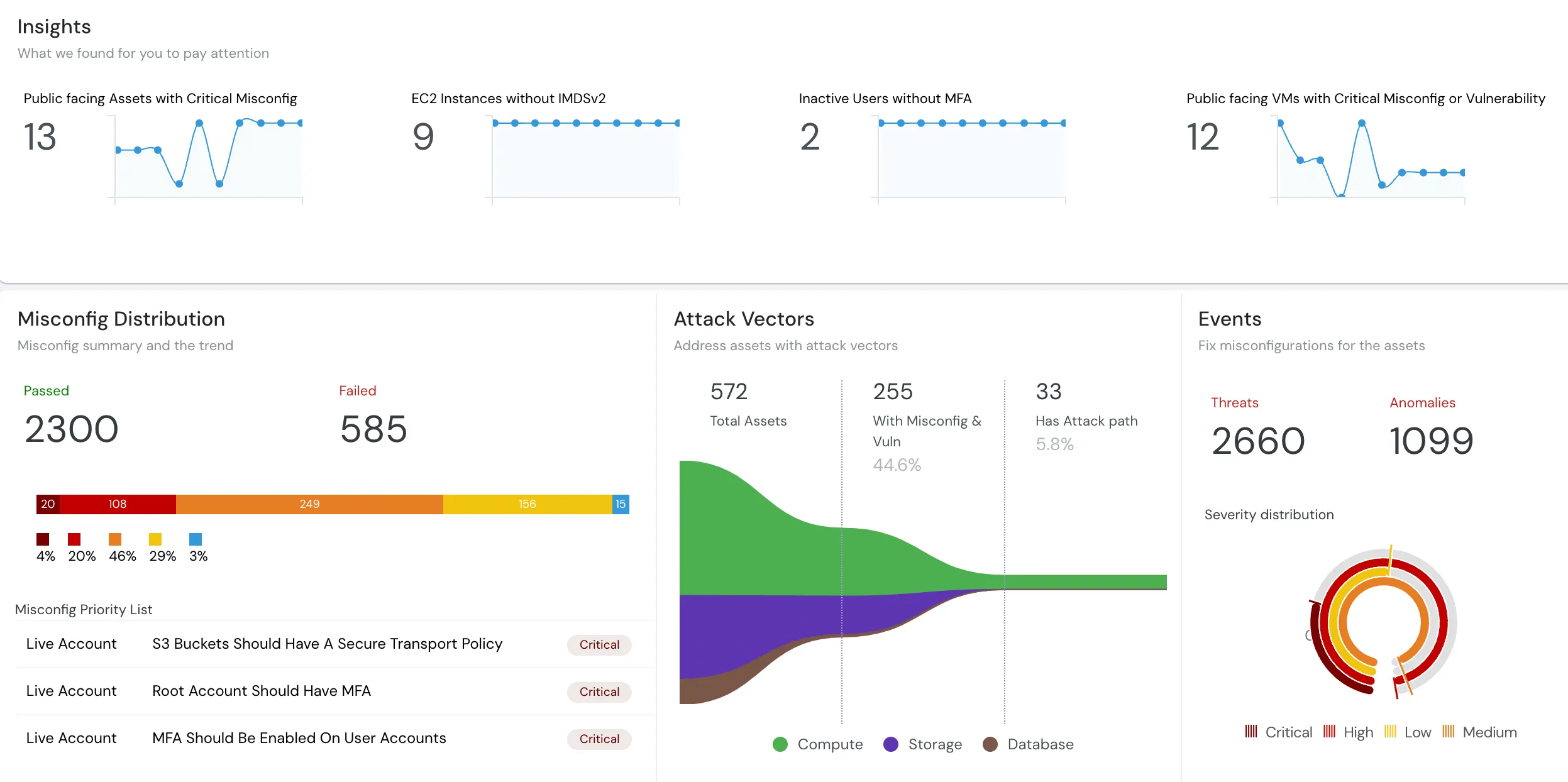
1,000+ Checks With Depth Where Native Tools Are Thin
Cloudanix runs 1,000+ checks across AWS services, including the surfaces native tools barely touch — ECS task definitions, IAM roles for tasks, service networking, container image provenance, logging configuration. For a team whose free tools cover 50–200 checks, this is a step change in what is actually being evaluated.
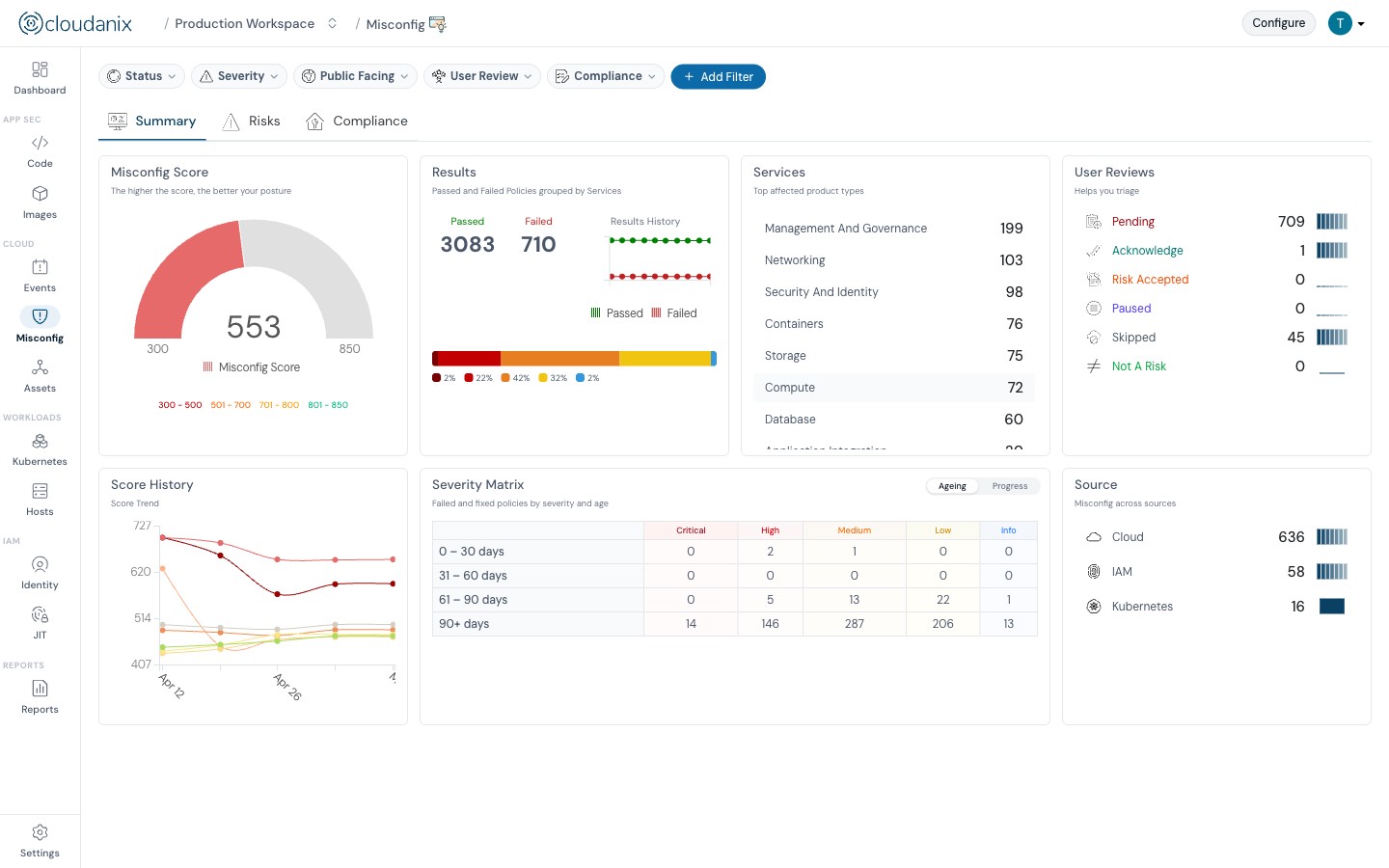
Contextual Severity Instead of Flat Lists
The core difference is not just more checks — it is better prioritization. Cloudanix recomputes contextual severity per asset from a security graph that considers exposure, environment, data sensitivity, and identity, and it shows the reasoning. A misconfigured internal-only dev resource is not badged the same as a public-facing production data store. For a small team drowning in flat findings from three tools, this is the difference between a to-do list and a plan.
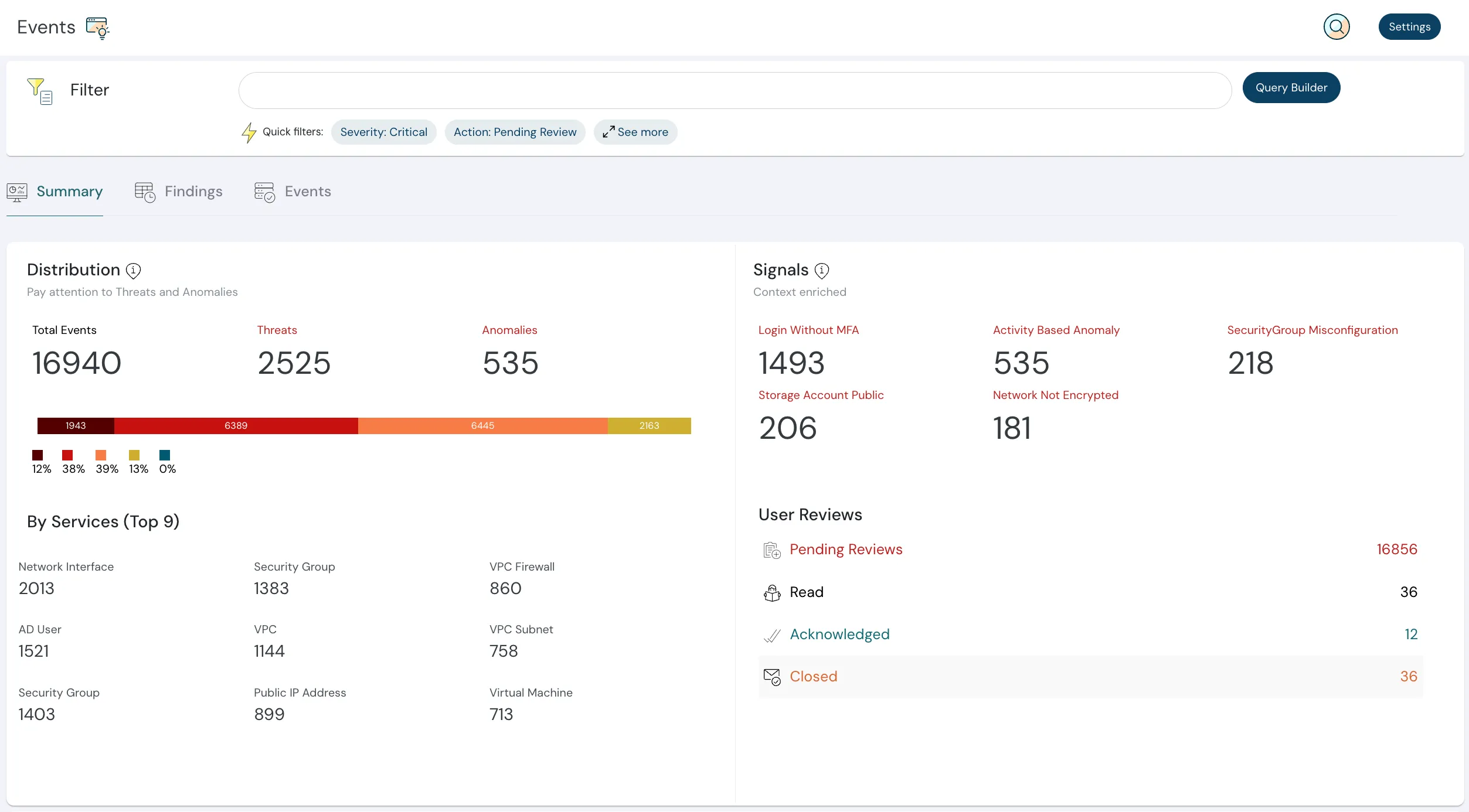
Remediation Playbooks, Not Just Findings
Every finding includes actionable remediation. For critical and high findings, GenAI-powered playbooks provide step-by-step instructions, copy-paste-ready AWS CLI commands, infrastructure-as-code snippets where applicable, and context on why it matters and what the blast radius is. When DevOps is the one fixing things, this converts an alert that generates research into an alert that generates action.
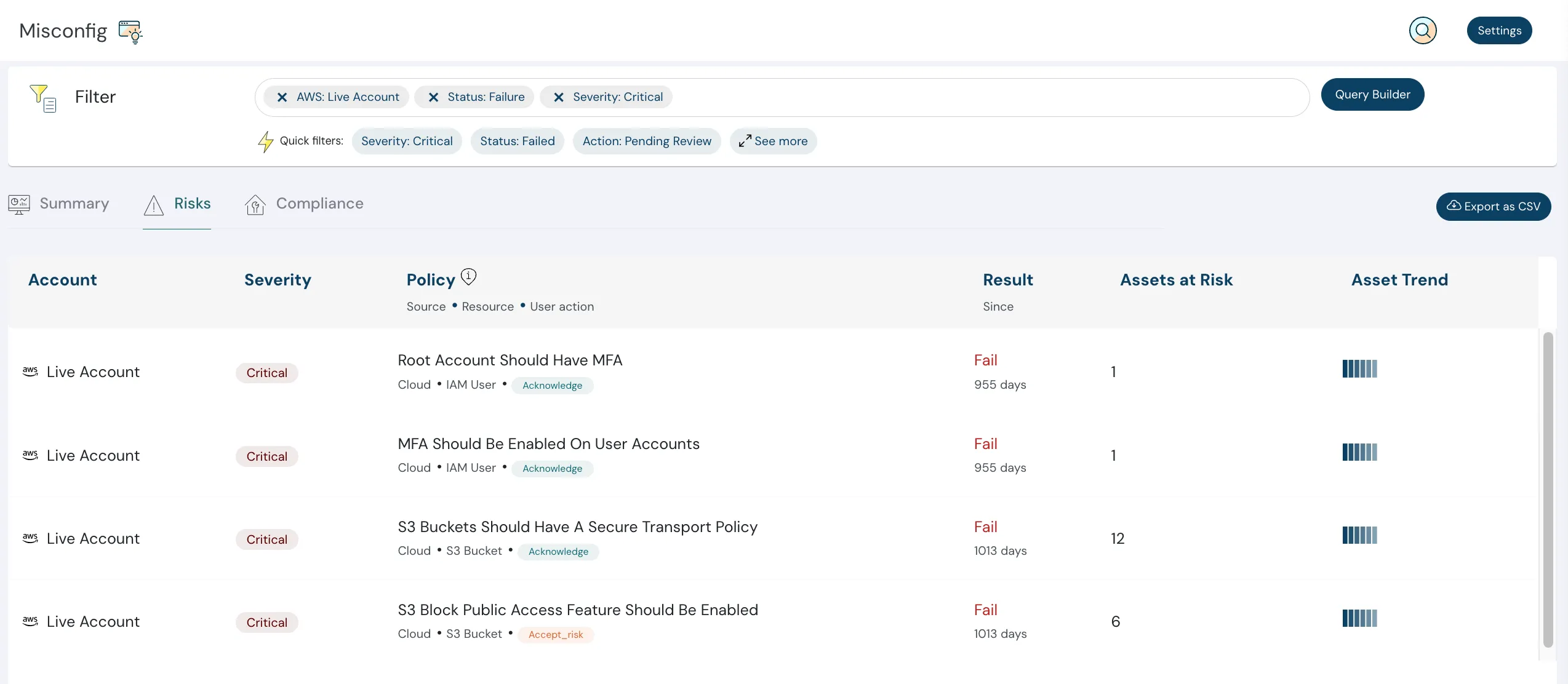
CIS, NIST, and Custom Framework Mapping
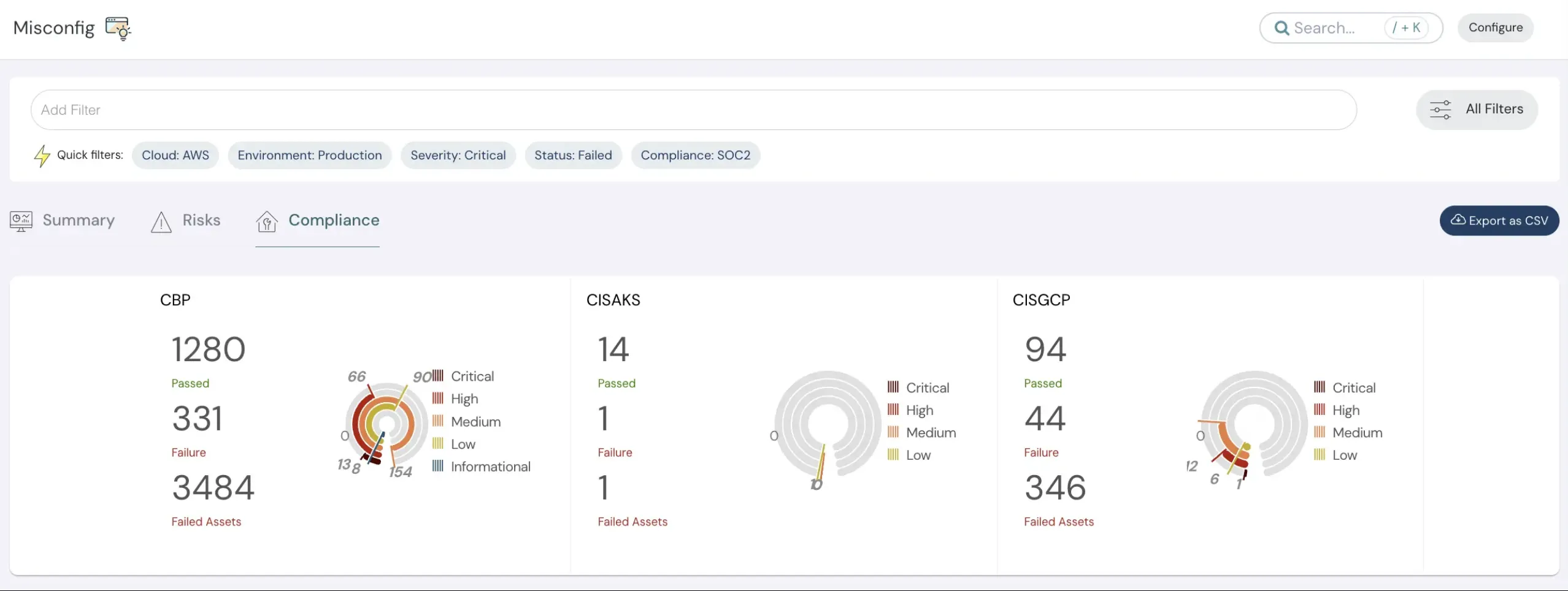
Findings map to CIS, NIST, and 15+ frameworks out of the box, with Bring Your Own Rules for a custom framework built on top. Compliance evidence exports directly, in formats auditors accept — no manual aggregation from three separate tools.
Real-Time Monitoring and Workflow Integration
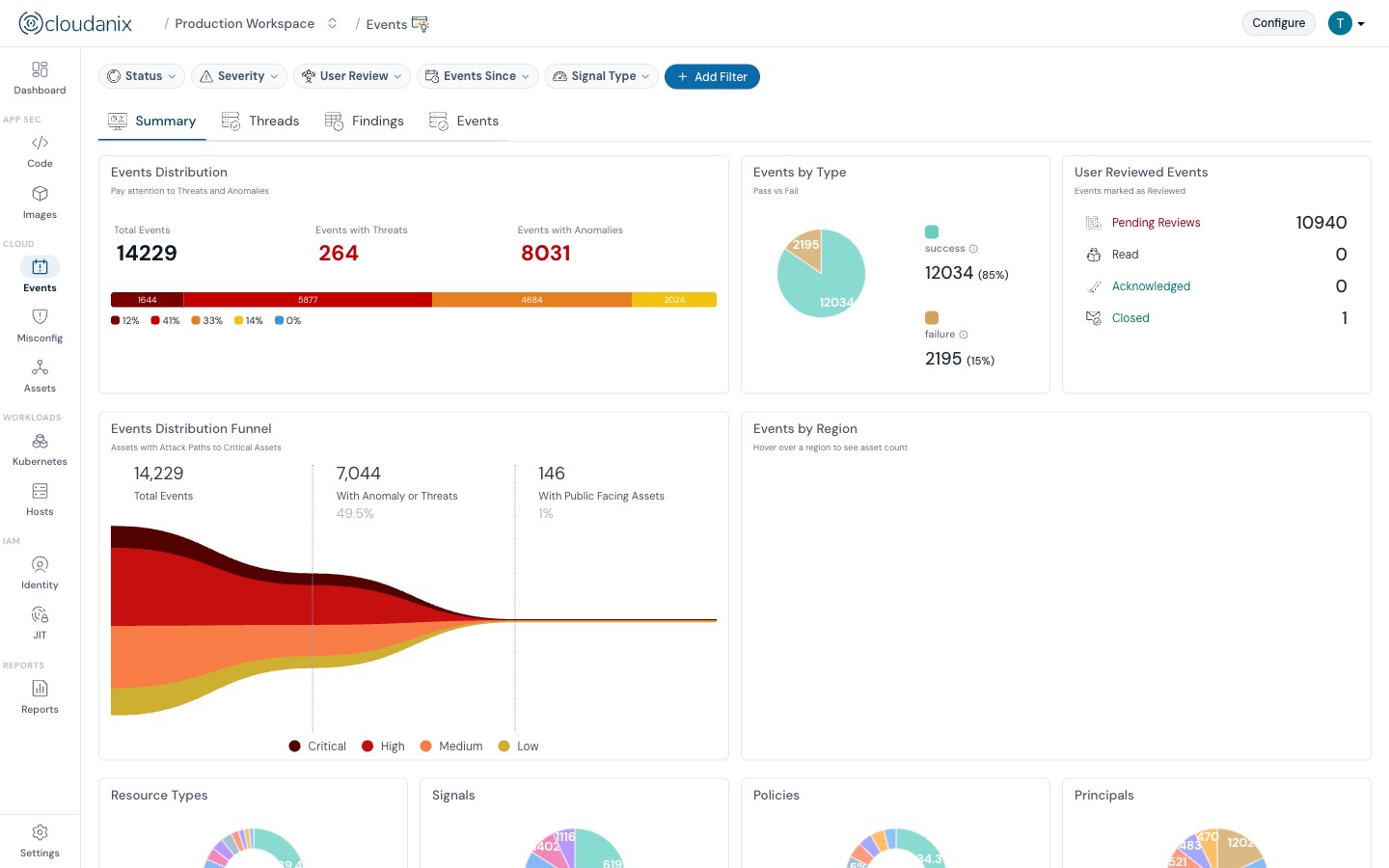
Cloudanix captures control-plane events in real time, continuously. A new IAM role, a modified security group, an updated ECS task definition surfaces immediately, not at the next scan window. Findings flow into Jira (matching an existing ticketing workflow), Slack, or PagerDuty, and adaptive notifications with auto-snooze keep a small team from being buried in repeat alerts.
Platform Impact
| Dimension | Trusted Advisor + Open Source | Cloudanix CSPM |
|---|---|---|
| Security checks | ~50–200 combined | 1,000+ |
| Coverage cadence | Point-in-time / scheduled | Continuous |
| Multi-account view | Per account, fragmented | Single unified dashboard |
| Compliance mapping | None / manual | CIS, NIST, 15+ frameworks + BYOR |
| Prioritization | Flat severity per tool | Contextual severity with reasoning |
| Remediation | “What’s wrong” only | Playbooks with CLI/IaC |
| Workflow | Findings in a report | Jira, Slack, PagerDuty |
| Container coverage | Minimal | ECS task definitions and more |
Understanding the Real Difference
The honest framing is this: Trusted Advisor and open-source scanners are the right first step, and they remain useful for basic hygiene on a simple, single-account environment. But they were designed to answer “are the obvious basics in place?” A growing multi-account team with a custom compliance framework needs to answer a different question: “across every account, continuously, mapped to our controls, prioritized by real risk, with a clear path to fix — what is our posture right now?”
That is the question a dedicated CSPM was built for. Moving off native and open-source tools is not about adding another dashboard. It is about replacing a fragmented, point-in-time, low-context process with a continuous, unified, actionable one — so the small team spends its time fixing what matters instead of reconciling three tools that each see part of the picture.
Key Outcomes
- ✅ 1,000+ Checks: Depth across IAM, networking, storage, compute, and containers.
- ✅ Continuous, Not Point-in-Time: Real-time event capture, not scheduled scans.
- ✅ Unified Multi-Account View: One dashboard, systemic issues visible.
- ✅ Contextual Severity: Prioritization by real risk, with reasoning shown.
- ✅ Actionable Remediation: Playbooks with copy-paste CLI and IaC.
- ✅ Compliance Mapped: CIS, NIST, 15+ frameworks, plus custom via BYOR.
- ✅ No Rip-and-Replace: Agentless onboarding in 15–30 minutes.
Outgrown Trusted Advisor and Open-Source Scanners?
If your team relies on AWS Trusted Advisor, Security Hub, and open-source scanners — and you have hit the ceiling of point-in-time, single-account, low-context findings — Cloudanix is the continuous, correlated layer that answers what those tools can’t.
Book a Free Assessment to see the difference on your own AWS environment in under 30 minutes.













