
Customer Snapshot
| Attribute | Details |
|---|---|
| Industry | Gig-economy / Workforce SaaS Platform |
| Cloud Environment | AWS |
| Code & CI | Bitbucket for SCM, Jenkins for CI |
| Team Structure | Lean DevOps team supporting a larger engineering org |
| Focus Area | Developer onboarding into the correct workspace |
The Situation: The Finding Reached the Developer — The Developer Didn’t Reach the Findings
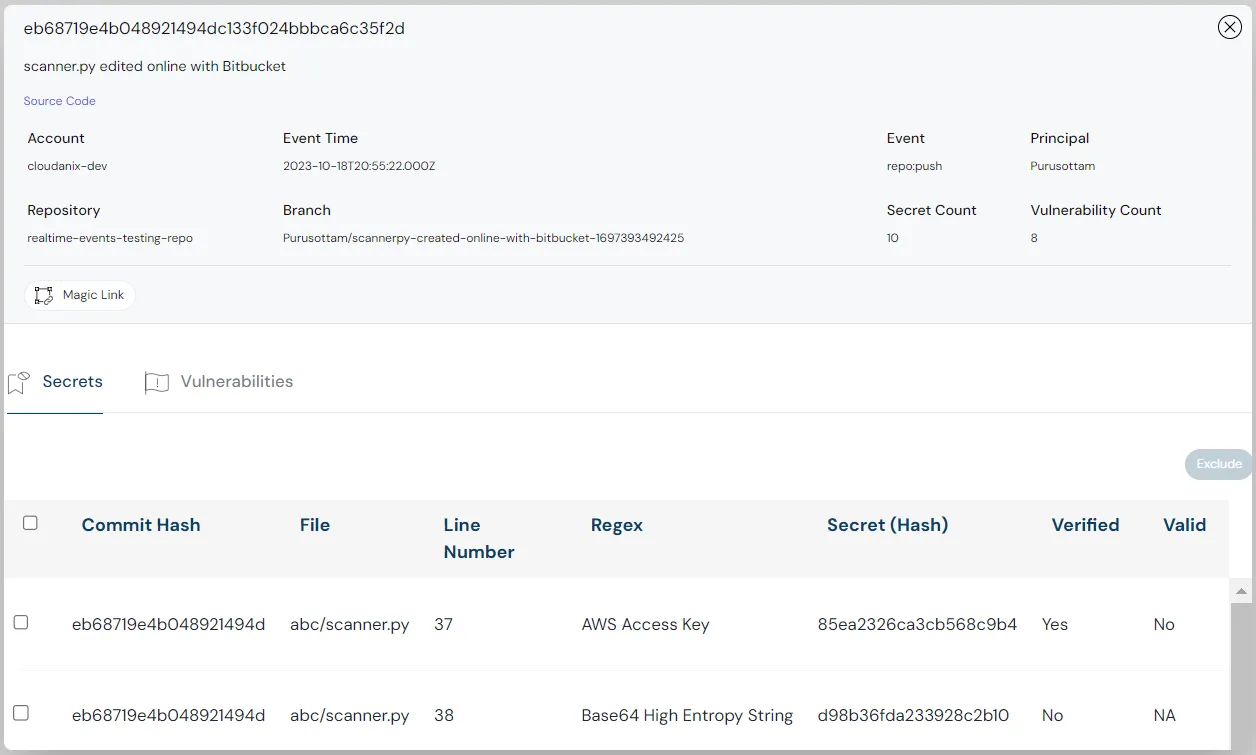
This team had the hard part working: code security findings were surfacing at the merge request in Bitbucket, with a link inviting the developer to view detail in Cloudanix. Then they hit a subtle but real onboarding snag. A developer clicked the link in the merge request, signed up directly, and landed in a brand-new, empty workspace — not the team’s workspace with all the findings and context. They had been delivered to the right product and the wrong place inside it.
The cause is a sensible default behaving awkwardly in one specific flow. By design, signing up directly — without using an invite link — does not grant access to an existing workspace; otherwise anyone who signed up could land in an organization’s data. But when a developer follows a general link from a merge request and signs up, that safety default produces a fresh empty workspace instead of dropping them into their team’s. The security signal arrived; the developer just could not get to it.
The Core Tension
Two good properties are in tension here. Workspaces must be protected — direct signup should never auto-join an existing organization, or the access model is broken. But developers should reach their team’s findings with as little friction as possible, or the carefully-delivered merge-request signal dies at the last click. The resolution is not to weaken the access default; it is to give the team a controlled way to route the right people to the right workspace.
Where the Gaps Were
A General Link Plus Direct Signup Equals an Empty Workspace
The merge-request link is general, and a developer who follows it and signs up directly triggers the safe default: a new, empty workspace. The developer sees an unfamiliar, empty Cloudanix rather than their team’s findings, and reasonably concludes the link did not work.
Two Workspaces, Defaulting to the Wrong One
If that same developer is later added to the team’s workspace through the correct invite, they now belong to two — the empty one they created and the intended one. On login, the system defaults to the first-created (empty) workspace, so even after being invited correctly, they keep landing in the wrong place.
Friction at Exactly the Wrong Moment
All of this happens at the first interaction a developer has with the security tool. A confusing first experience is the one most likely to make a developer disengage — and for a lean team trying to get engineers to act on findings, losing them at onboarding undermines the whole program.
How Cloudanix Addresses This
Domain-Based Workspace Access Through YAML Integration
Cloudanix supports granting workspace access to anyone with the organization’s email domain — configured through the YAML integration — so that however a developer signs up, a verified @-domain account can be routed into the intended workspace rather than a fresh empty one. This preserves the access default (direct signup still does not auto-join arbitrary workspaces) while giving the team a controlled, domain-scoped way to admit their own engineers. Enabling it is a deliberate choice the team’s administrator makes.
Default-Workspace Correction for the Two-Workspace Case
Where a developer has already ended up with both an empty workspace and the correct one, their default workspace can be changed from the backend so that login takes them to the team’s workspace, not the empty first-created one. The duplicate-workspace confusion is resolvable rather than permanent.
The Payoff: Developers Land on Their Findings
With domain-based access enabled, a developer who follows a merge-request link and signs up is routed to the workspace that holds their team’s code findings — so the SAST, SCA, and secret findings they were invited to see are actually there when they arrive. The merge-request signal reaches its intended end: a developer looking at their own findings, in context.
Role-Scoped So Developers See Only What They Should
Once in the right workspace, Cloudanix’s role model scopes what they see — developers see the Code Security area and their findings, not unrelated cloud data. Getting them to the right place and bounding what they see there are two halves of the same clean onboarding.
Platform Impact
| Dimension | Direct Signup From a General Link | Domain-Based Routing |
|---|---|---|
| Where the developer lands | New empty workspace | The team’s workspace |
| Access safety | Preserved (no auto-join) | Preserved, domain-scoped |
| Duplicate workspaces | Defaults to the empty one | Default corrected to the right one |
| First experience | Confusing, disengaging | Lands on their findings |
| What they see | N/A (wrong workspace) | Role-scoped to Code Security |
Why the Last Click Decides Whether Developers Engage
A code-security program depends on developers actually looking at and acting on their findings. Every design choice that gets the finding to the merge request is wasted if the developer cannot get from the merge-request link to their findings in one clean step. Onboarding friction is not a minor UX detail here — it is the gate that determines whether a developer’s first interaction with the security tool is “oh, here’s my issue, let me fix it” or “this link is broken, I’ll ignore these.” Routing the right people to the right workspace, while keeping the access model strict, is what makes the carefully-built merge-request signal pay off at the only moment that matters: when a developer decides whether to engage.
Key Outcomes
- ✅ Domain-Based Access: Route verified
@-domain developers to the right workspace. - ✅ Access Model Intact: Direct signup still never auto-joins arbitrary workspaces.
- ✅ Default-Workspace Fix: Resolve the duplicate-workspace, wrong-default case.
- ✅ Developers Land on Findings: The merge-request link reaches its intended end.
- ✅ Role-Scoped View: Developers see Code Security and their findings, nothing more.
Are Developers Getting Lost Between the Merge Request and Their Findings?
If your developers click a code-finding link and land in an empty workspace instead of your team’s, the signal you worked to deliver dies at the last click. Cloudanix routes your engineers to the right workspace by domain — without weakening the access model.
Book a Free Assessment to see developer onboarding and workspace routing for code security, or explore the interactive demo on the Code Security page.
Related Resources
- What is Code Security?
- What is a PR Quality Gate?
- Inside Static Source Code Analysis (SAST)
- Richer Vulnerability Data in Bitbucket Merge Requests With PR Quality Gates
- Keeping InfoSec in the Loop When Engineers Change PR Quality Gates
- Code Security for Bitbucket: SAST, SCA, Secrets, and Real-Time Workspace Threat Monitoring













