
Customer Snapshot
| Attribute | Details |
|---|---|
| Industry | Technology / AI SaaS |
| Cloud Environment | AWS (4 accounts), EKS clusters, RDS in private subnets |
| Databases | MariaDB (primary), PostgreSQL (future migration) |
| Team Size | ~80 developers needing regular database access |
| Current DB Workflow | EKS JIT → socat pod tunnel → HashiCorp Vault token → IDE config → query |
| IDEs in Use | DataGrip, TablePlus, DBeaver, Sequel Ace, DbVisualizer, Sequel Pro, mycli |
| Network | Private subnets, NAT per subnet, no SSL enforcement on DB connections |
| Tunnel Infrastructure | K8s pod running socat for TCP relay to RDS |
| Primary Pain Point | 5–10 minute setup per database session; shared fragile infrastructure |
| Cloudanix Scope | Database JIT replacing full tunnel + Vault workflow |
The Situation: A Rube Goldberg Machine for Database Access
Accessing a database at this AI SaaS company required a specific sequence of five operations, each dependent on the previous step completing successfully. Like a Rube Goldberg machine, each component was individually rational — but the assembled workflow was fragile, slow, and opaque.
Here’s what a developer went through to run a single query:
-
Step 1: Get EKS cluster access. Request JIT access to the EKS cluster that hosts the tunnel pod. Wait for approval. Run
cdx k8s connectto establish cluster connectivity. -
Step 2: Port-forward to the socat pod. Find the socat pod in the cluster (
kubectl get pods -n tunnels). Set up port-forwarding:kubectl port-forward pod/socat-db-tunnel-xyz 3306:3306 -n tunnels. The socat container relays TCP traffic from the pod’s port to the RDS instance in the private subnet. -
Step 3: Get temporary credentials from HashiCorp Vault. Authenticate to Vault. Request a temporary database credential with a TTL. Receive a generic username (
v-token-readonly-abc123) and a password. -
Step 4: Configure the IDE. Open DataGrip (or TablePlus, DBeaver, Sequel Pro, mycli). Create or update a connection: host
localhost, port3306(from the port-forward), username and password from Vault. Test the connection. -
Step 5: Run the query. Finally, execute the SQL statement that motivated this entire exercise.
Total time: 5–10 minutes for a developer who knows the process. Longer for new team members learning the sequence. And if any step fails — the socat pod is down, Vault is slow, port-forwarding drops — the developer restarts from that step, often losing another 5 minutes debugging the failure point.
For 80 developers needing database access multiple times per week, this added up to hundreds of hours per month spent on access choreography rather than actual database work.
The Core Challenge
Database access required traversing five systems in sequence, with each step introducing a potential failure point. The workflow was too fragile for daily use, produced no identity-stamped audit trail, and made a simple “check one value in the database” operation into a 10-minute ceremony.
Where the Gaps Were
The socat Pod: Shared Infrastructure, Single Point of Failure
The socat pod was a clever solution to a network problem: RDS instances lived in private subnets with no public access (correctly). Developers’ laptops couldn’t reach them directly. The socat pod, running inside the VPC with access to both the EKS cluster network and the private subnets, acted as a TCP relay — a tunnel endpoint that developers could port-forward to.
But as shared infrastructure used by ~80 developers, it carried operational costs:
- Pod crashes affected everyone. If the socat pod was OOM-killed, evicted during node scaling, or crashed due to connection exhaustion — every developer with an active port-forward lost database connectivity simultaneously.
- No per-user isolation. All developers tunneled through the same pod. There was no way to rate-limit, audit, or restrict which developer reached which database through the tunnel. The tunnel was an open pipe.
- Resource contention. 20 developers simultaneously port-forwarding to the same pod meant 20 TCP connections through one container. Under load (e.g., everyone reconnecting after a pod restart), the container could become unresponsive.
- DevOps maintenance burden. Someone had to monitor the socat pods, ensure they were running, restart them when they crashed, and update them when the database infrastructure changed (new RDS endpoints, new subnets).
Vault Credential TTL vs. Developer Work Patterns
HashiCorp Vault generated temporary credentials with a configured TTL (e.g., 1 hour). This sounds like time-bound access — and it is, from a credential-validity perspective. But the TTL wasn’t aligned with developer work patterns:
- TTL too short: A developer deep in a debugging session hits a credential expiration 45 minutes in. The port-forward is still active, the socat pod is still running, but the database rejects their next query. They restart the Vault credential step, reconfigure the IDE with new credentials, and lose context.
- TTL too long: A 4-hour TTL remains valid long after the developer has finished their work and moved on. The credential doesn’t revoke when the developer closes their IDE — it stays valid until the clock runs out.
- No alignment with approval. The Vault TTL was a system configuration, not an access governance decision. There was no concept of “this developer was approved for 30 minutes of database access” — Vault just issued credentials with whatever TTL was configured system-wide.
No Identity Attribution in Database Logs
This was the compliance gap that the security team cared most about. Every database query was attributed to a Vault-generated username:
2026-02-15 14:32:11 | user: v-token-readonly-abc123 | query: SELECT * FROM users WHERE status='active'Which developer was v-token-readonly-abc123? The database doesn’t know. To find out, you’d need to:
- Check the database log timestamp.
- Cross-reference with Vault audit logs to find who requested that specific credential at that time.
- Hope the timestamps align closely enough to be unambiguous (they often don’t, especially when multiple developers request credentials within the same minute).
For SOC 2 compliance, the evidence requirement is: “who accessed what data, when.” The team could answer “a Vault credential accessed this data” — but not “this specific person accessed this data.” That distinction matters to auditors.
SSL Not Enforced: An Acknowledged Risk
The team acknowledged that SSL was not required or enforced on database connections. Developers connected without SSL through the socat tunnel. While the traffic stayed within the VPC (pod to RDS in the same private subnet), it meant:
- Credentials and query data traversed network segments in plaintext.
- No certificate validation confirmed the developer was connecting to the actual RDS instance (vs. a network-level MitM within the VPC).
- Compliance frameworks that require encryption in transit were not fully satisfied.
This wasn’t a JIT-specific problem, but it was part of the overall database access security posture that the new architecture could address.
The Cloudanix Solution: One CLI Command, Identity End-to-End
Cloudanix Database JIT collapses the five-step workflow into a single experience: request access, get approved, run a CLI command, connect with your IDE. Cluster access itself is governed separately through Kubernetes JIT, and query activity is captured by Database Activity Monitoring.
The New Developer Workflow
-
Developer requests database access — via Slack, Teams, or the Cloudanix Console. They select the database (or cluster of databases), access level (read-only, read-write, admin), and duration.
-
Approval per policy. Dev database read-only: auto-approves. Production database write access: routes to approver. The approval decision is a JIT access decision, not a credential generation event.
-
Developer runs the Cloudanix CLI. One command authenticates the developer, verifies their approved access, and provides connection details:
$ cdx db connect --request-id abc123 ✓ Authentication verified ✓ Approval valid · 2h remaining ✓ Connection details: Host: localhost:13306 User: engineer@company.com (IAM Auth) Database: production-api → Ready for IDE connection -
Developer opens their IDE (any of the eight tools the team uses) and connects using the provided details. No Vault interaction. No socat port-forwarding. No kubectl required.
-
Every query is identity-stamped. The database session is attributed to
engineer@company.com— not a generic token. Audit logs directly answer “who ran this query.” -
Access auto-revokes when the approved duration expires. The connection terminates, the credential is invalidated, and no residual access persists.
What’s Eliminated
| Old Step | Eliminated By |
|---|---|
| EKS JIT request for tunnel access | Direct DB access — no cluster access needed |
| kubectl port-forward to socat pod | Cloudanix CLI handles connectivity |
| socat pod infrastructure | ECS-based proxy in VPC (managed, resilient) |
| HashiCorp Vault credential request | IAM-authenticated credentials from Cloudanix |
| IDE manual configuration | CLI provides ready-to-use connection details |
| Calendar/TTL-based revocation | Automatic policy-enforced revocation |
Supporting Every IDE the Team Uses
The team’s developers use eight different database clients:
- DataGrip (JetBrains family)
- TablePlus
- DBeaver
- Sequel Ace
- DbVisualizer
- Sequel Pro
- mycli (CLI-based)
- DataGrip via JetBrains IDEs
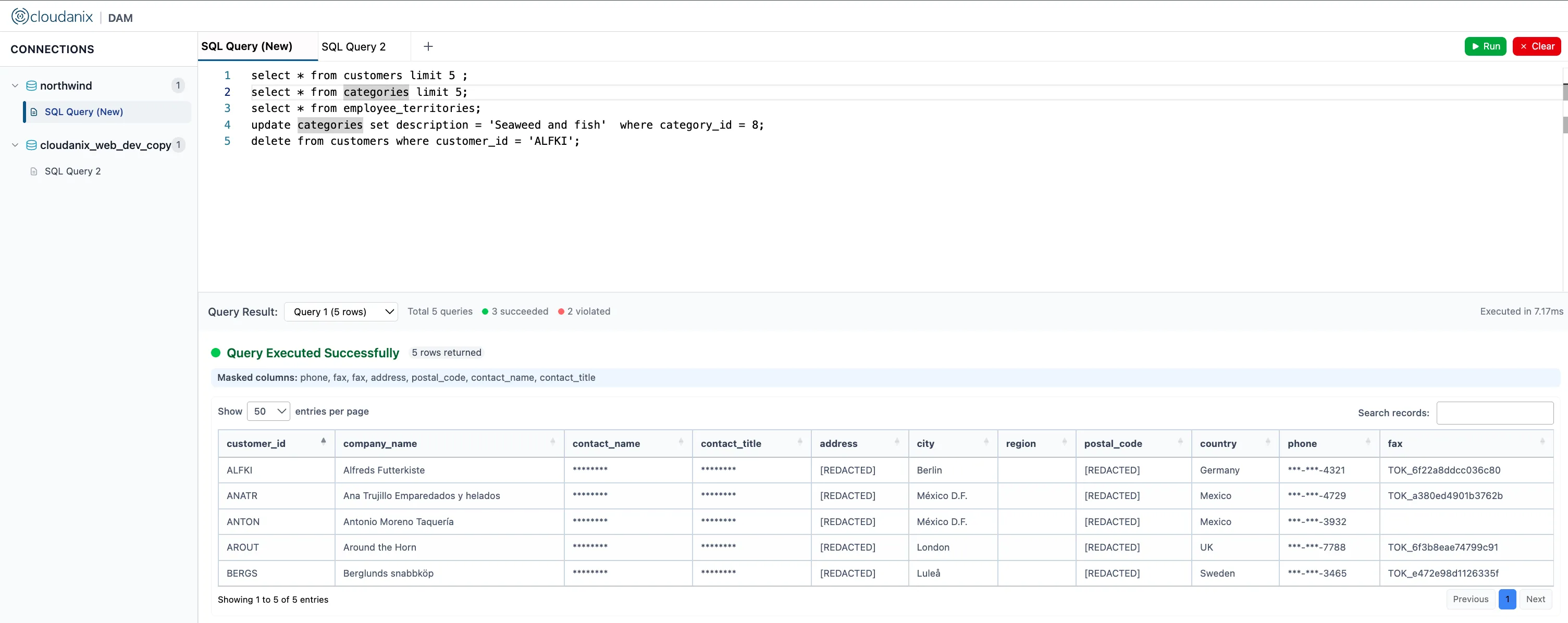
Cloudanix Database JIT works with all of them because it provides standard database connection parameters (host, port, username via IAM auth). Any client that can connect to a MySQL/MariaDB/PostgreSQL database using standard credentials works without modification.
No proprietary connector. No browser-based SQL interface. No tool lock-in. The developer keeps their preferred IDE and workflow — the only change is how they obtain the connection.
Identity-Stamped Audit: The Compliance Answer
With Cloudanix DB JIT, the audit trail for every database session includes:
Session: jit-db-7c4f2a91
Developer: engineer@company.com
Database: production-api (MariaDB)
Access Level: read-only
Approved By: auto-approval (dev-readonly policy)
Started: 2026-02-15 14:30:00
Queries:
  [14:32:11] SELECT * FROM users WHERE status='active'
  [14:33:45] SELECT COUNT(*) FROM orders WHERE date > '2026-02-01'
  [14:35:02] EXPLAIN SELECT * FROM products JOIN inventory...
Ended: 2026-02-15 15:30:00 (auto-revoked)
One timeline connecting: the human → the approval → the session → every query → the revocation. This is the evidence SOC 2 auditors ask for, produced automatically for every database session. For a deeper look at continuous query-level auditing, see what Database Activity Monitoring is.
Platform Impact
| Metric | Before (socat + Vault) | After (Cloudanix DB JIT) |
|---|---|---|
| Time to database access | 5–10 minutes | Under 2 minutes |
| Steps in workflow | 5 (each a failure point) | 1 CLI command + IDE connect |
| Shared infrastructure | socat pod (fragile, shared) | ECS service (managed, per-VPC) |
| Identity in DB audit | Generic Vault username | Real developer identity |
| Credential expiry model | Vault TTL (arbitrary) | Aligned to approved access window |
| Compliance evidence | 3 systems to correlate | Single exportable timeline |
| Developer context switches | kubectl + Vault CLI + IDE | Cloudanix CLI + IDE |
| New developer onboarding | Learn 5-step process | Learn 1 CLI command |
The Measurement That Matters: Developer Time Recovered
80 developers × average 3 database sessions per week × 7 minutes saved per session = 28 hours per week of developer time recovered. That’s not “productivity gain” in the abstract — it’s 28 hours per week previously spent on access choreography that now goes toward actual engineering work.
For new developers joining the team, the onboarding for database access goes from “learn this 5-step process, here’s the wiki page, ask someone if Vault gives you errors” to “install the CLI, request access, connect.” The ramp time from zero to productive database access drops from days (learning the workflow, debugging first attempts) to minutes.
Still Running socat Tunnels for Database Access?
If your developers are tunneling through EKS pods, generating Vault credentials, manually configuring IDEs, and losing 5–10 minutes per database session — Cloudanix Database JIT replaces the entire workflow with identity-stamped, time-bound, auto-revoking database access via a single CLI command. Works with every IDE your team already uses.
Book a Free Assessment to see Database JIT working with your RDS instances and developer workflow in one session.













