
Customer Snapshot
| Attribute | Details |
|---|---|
| Industry | Gig-economy / Workforce SaaS Platform |
| Cloud Environment | AWS |
| Code & CI | Bitbucket for SCM, Jenkins for CI |
| Team Structure | Lean DevOps team supporting ~20 engineers |
| Focus Area | SAST finding usability for developers |
The Situation: Good Detection, Unusable Presentation
This team was running static analysis across their Bitbucket repositories and the detection itself was working — real vulnerability classes, including a server-side request forgery finding, were being caught. The problem was not what the scanner found; it was how the finding was presented. The tech lead’s feedback was pointed: the SAST detail was shown in a hover tooltip and was not user-friendly — a block of text crammed into a hover state that was difficult to read and harder to consume. And the link that was supposed to take the developer to more detail was not working.
This is a quietly serious problem. A finding a developer cannot comfortably read and cannot click through to understand is, functionally, a finding that does not get fixed. The detection effort is wasted at the last mile — the point where a human is supposed to act on it. For a lean team without dedicated AppSec, every point of friction in that last mile translates directly into findings that linger.
The Core Tension
The value of static analysis is realized only when a developer reads the finding, understands it, and fixes the code. Presentation is not cosmetic here — it is the final, load-bearing step of the entire pipeline. A vulnerability class squeezed into a hover tooltip with a dead link breaks that step: the detection happened, but the comprehension and the fix did not. Usable presentation is the difference between a security tool and a security outcome.
Where the Gaps Were
Detail Trapped in a Hover State
A hover tooltip is a terrible home for the detail of a security finding. It is hard to read, impossible to scan at length, vanishes when the cursor moves, and cannot hold the code context, the explanation, and the remediation steps a developer needs. Critical information presented this way is information the developer will skip.
A Broken Path to “More Detail”
When the “learn more” or “view details” link does not work, the developer hits a dead end at exactly the moment they were trying to engage. A broken link does not just fail to help — it actively teaches the developer that the tool is not worth clicking into, which suppresses engagement with every future finding.
No Clear Vulnerability Class or Code Context
Without the finding clearly stating its vulnerability class (for example, SSRF), the affected file, the offending code block, and why it is a problem, the developer is left to reverse-engineer the issue. That is research time most teams do not have.
How Cloudanix Addresses This
Findings in a Readable, First-Class View
Cloudanix Code Security presents each SAST finding in a dedicated, readable view rather than a cramped tooltip: the vulnerability, its severity, the file, and the vulnerability class are laid out so a developer can read and absorb them without fighting the interface. The detail has room to breathe, because comprehension is the point.
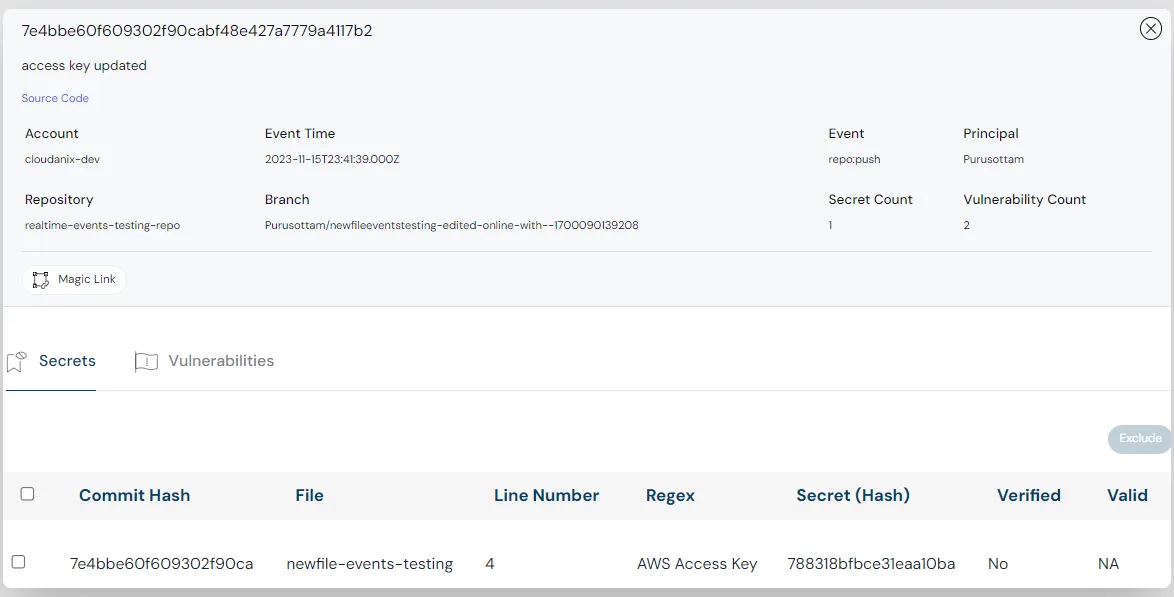
The Offending Code Block, In Context
Alongside the finding, the relevant code block is shown so the developer sees exactly where the vulnerability lives — not an abstract description they have to map back to their source by hand. Seeing the code and the finding together is what makes the issue concrete and quick to act on.
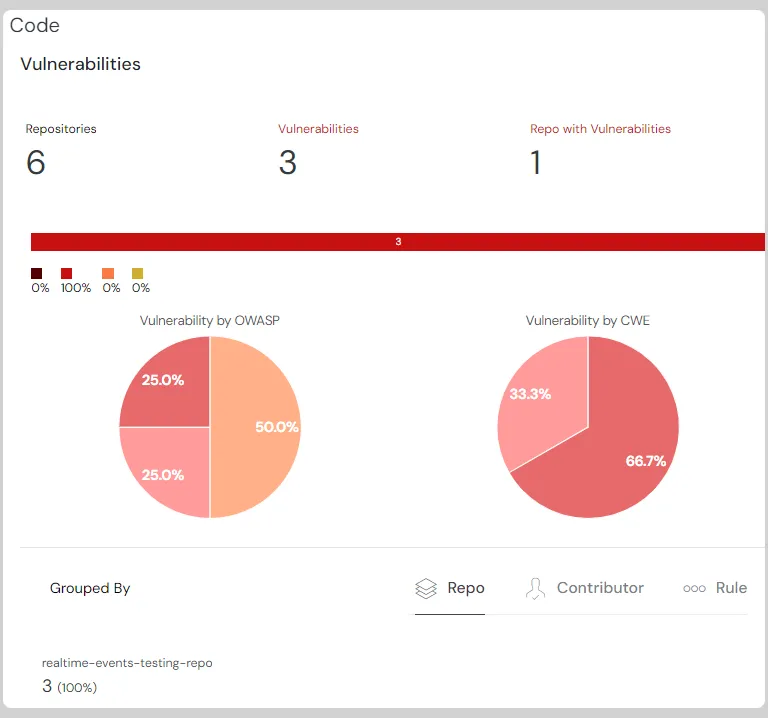
A Working Path to Remediation
Each finding carries actionable remediation context — the secure alternative for the flagged pattern and the steps to fix it — with selective AI-generated fixes for safe cases. The path from “here is the problem” to “here is how to fix it” is a working, built-in part of the finding, not a broken link to somewhere else.
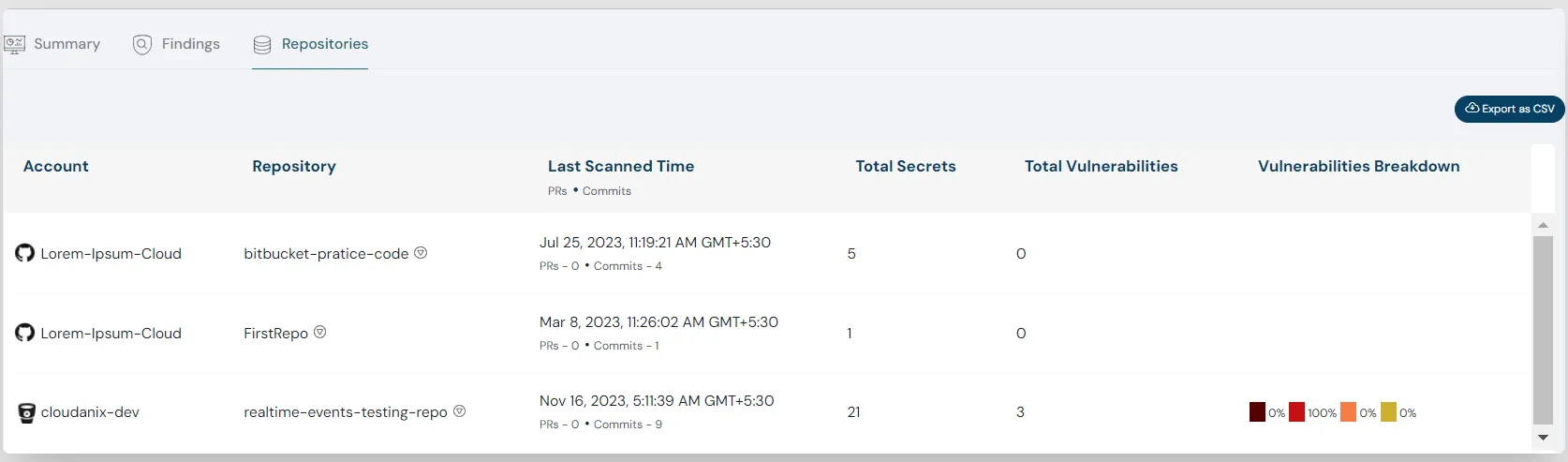
Findings Where Developers Already Work
Findings also surface at the pull request as annotations in the Bitbucket workflow, so the developer who introduced the code sees the issue in context during review — readable, with the code and the fix, inside the tool they are already using.
Platform Impact
| Dimension | Hover Tooltip + Broken Link | Readable Finding View |
|---|---|---|
| Detail presentation | Crammed into a tooltip | Dedicated, readable view |
| Vulnerability class | Unclear | Stated plainly (e.g., SSRF) |
| Code context | Described, not shown | Offending code block displayed |
| Path to more detail | Dead link | Working, built-in remediation |
| Developer engagement | Suppressed | Supported |
Why the Last Mile Decides Whether Detection Matters
It is easy to judge a code-security tool by the breadth and accuracy of its detection, and those matter. But detection is upstream of the thing that actually reduces risk, which is a developer fixing the code. Every design choice in how a finding is presented — readable layout, visible code, a working remediation path, delivery into the developer’s own workflow — is a choice about whether the last mile gets walked. A team that invests in great detection and then strands it behind a hover tooltip has optimized everything except the only step that changes the outcome. Getting the presentation right is not polish; it is where detection becomes remediation.
Key Outcomes
- ✅ Readable Findings: A dedicated view, not detail crammed into a hover state.
- ✅ Clear Vulnerability Class: The finding states what it is and why it matters.
- ✅ Code in Context: The offending block shown alongside the finding.
- ✅ Working Remediation Path: Built-in fix guidance, not a broken link.
- ✅ In-Workflow Delivery: Findings at the Bitbucket pull request where developers work.
Are Your SAST Findings Too Hard to Read to Get Fixed?
If your static-analysis detail is stuck in a tooltip and the “more detail” link is broken, the detection is being wasted at the last mile. Cloudanix presents findings in a readable view with the code and a working path to the fix.
Book a Free Assessment to see readable, actionable SAST findings on your Bitbucket repositories, or explore the interactive demo on the Code Security page.













