
What is Azure Kubernetes Service?
Azure Kubernetes Service (AKS) is a managed Kubernetes offering by Microsoft Azure that enables businesses to deploy, manage, and scale containerized applications with minimal overhead. It removes much of the complexity found in managing vanilla Kubernetes clusters, allowing teams to focus on delivering better applications faster.
You can access AKS in three ways:
- Through the AKS Management Portal
- Using the AKS CLI (cross-platform command line)
- Via infrastructure-as-code templates
Benefits of Using Azure AKS
If you’re looking to simplify Kubernetes orchestration and reduce costs while maintaining security and compliance, Azure AKS is a solid choice.
Top 5 Benefits:
- Security & Compliance: Role-based access control, network isolation, vulnerability scanning. AKS complies with standards like HIPAA, ISO 27001, and SOC2.
- Cost-effective: Pay only for what you use, with flexible pricing tiers.
- Azure Integrations: Seamless integration with Azure Storage, Azure Compute, and Azure Networking.
- High Availability: Auto-scaling, rolling updates, and built-in load balancing ensure maximum uptime.
- Simplified Orchestration: AKS handles tasks like node provisioning and scheduling so devs can focus on code.
Azure AKS Architecture
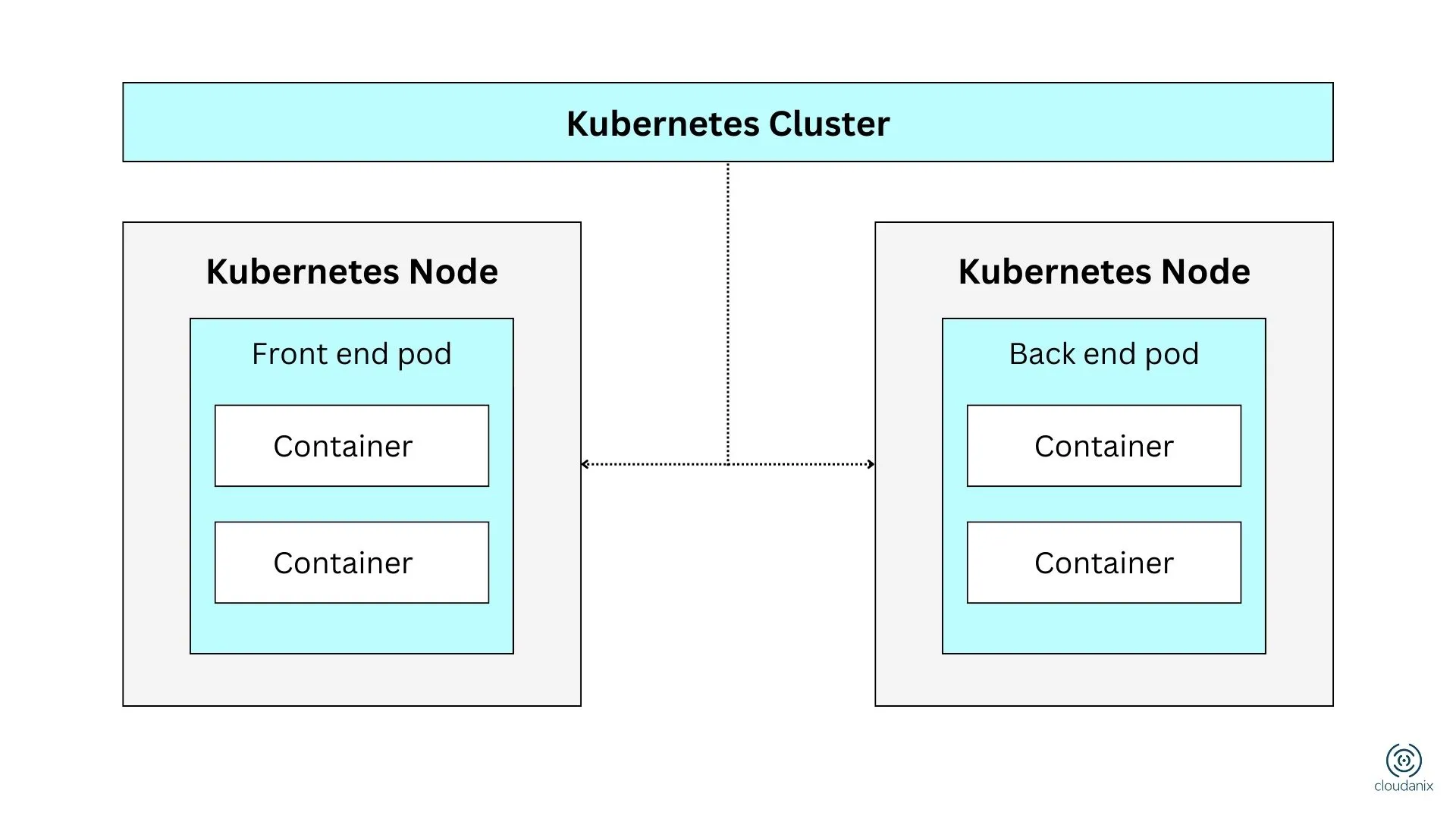
When you create an AKS cluster, Azure automatically provisions a control plane (which remains managed by Azure and isn’t user-accessible). This control plane manages cluster configuration and operational tasks.
Key Components:
- Control Plane: Manages configuration, scheduling, and overall orchestration.
- Nodes: The worker machines (with defined CPU & memory) that run your workloads.
- Secure Communication: AKS configures communication between nodes and control plane automatically.
- Resource Groups:
- Kubernetes Resource Group – for cluster metadata.
- Node Resource Group – for infrastructure resources like VMs, networking, etc.
- Managed Identity: Used to securely interact with other Azure services.
How the pieces fit together
A useful mental model: Azure owns and operates the control plane (the API server, scheduler, and etcd), and you never see or patch it. What you own is everything below the API server — the node pools, the workloads, the networking policy, and the identity configuration. This split is the Azure side of the shared responsibility model, and most AKS incidents happen on the customer side of that line, not in the managed control plane.
Two identity mechanisms are worth understanding because they are where least privilege lives or dies:
- Managed identities let the cluster and its workloads authenticate to Azure services (Key Vault, Storage, databases) without storing credentials.
- Workload Identity federates a Kubernetes service account with an Azure AD (Entra ID) identity, so an individual pod gets scoped access instead of every pod sharing a broad cluster identity. Without it, a single compromised pod can often reach far more Azure resources than it should — the AKS version of the over-permissioned node problem.
Networking and node pools
AKS supports multiple networking models (kubenet and Azure CNI), and the choice changes how pods get IP addresses and how you control traffic. Azure CNI puts pods on the VNet directly, which simplifies integration with other Azure resources but requires careful subnet planning and network security group rules. Node pools group nodes of a given VM size and configuration; you can run system node pools for cluster services and separate user node pools for workloads, which helps isolate blast radius and control cost.
Azure AKS Use Cases
Here are common scenarios where organizations use AKS effectively:
- Migrate Legacy Applications: Move apps into containers and manage with Kubernetes on Azure. Easily integrate Azure AD for access control.
- DevOps & Kubernetes: Combine AKS with DevOps pipelines to enhance CI/CD workflows and policy controls.
- Real-Time Data Streaming: Use AKS to process real-time sensor or telemetry data efficiently.
- Build Complex Microservices: Design and deploy scalable, modular apps with improved fault tolerance and performance.
What is Kubernetes?
Kubernetes is an open-source system for automated deployment, scaling, and management of containerized applications. It works across cloud and on-prem environments, offering:
- Declarative configuration
- Auto-scaling
- Health checks
- Rollouts & rollbacks
Kubernetes provides a portable and powerful platform for managing microservices architectures and cloud-native workloads. If you want the fundamentals before going deeper on AKS, see what is Kubernetes.
Securing an AKS cluster
The managed control plane removes a lot of operational burden, but it does not make a cluster secure by default. The recurring failure modes in AKS environments are worth calling out because they map directly to controls you can enforce:
- Public API server exposure. By default the API server has a public endpoint. For sensitive workloads, use API server authorized IP ranges or a private cluster so the control plane is not reachable from the open internet.
- Weak RBAC and over-broad roles. Integrate AKS with Entra ID and grant least-privilege roles. A cluster-admin binding handed out casually is one of the most common escalation paths.
- No workload identity. Pods sharing a broad cluster identity means one compromised container can reach Key Vault secrets, storage, and databases it never needed.
- Missing network policies. Without them, east-west traffic is unrestricted and a foothold in one pod can pivot across the cluster.
- Outdated versions and unpatched nodes. Running an unsupported Kubernetes version means missing security fixes; keep node images and the cluster version current.
- Unscanned images and secrets in manifests. Scan images before deploy and keep secrets in Key Vault, not in YAML.
It helps to think of AKS security in layers — build (scan images), deploy (admission policy), runtime (watch live behavior), and control plane (RBAC, API exposure, identity). A gap in any layer undermines the rest. See Kubernetes runtime security for the runtime piece and importance of Kubernetes security for the wider view.
Azure Misconfigurations
Cloudanix helps identify and prevent misconfigurations in your Azure AKS setup.
- Curated AKS audit checks
- Best practice enforcement
- Multi-cloud support (AWS, Azure, GCP)
Know Your Azure Misconfigurations
- Misconfigured RBAC policies
- Publicly exposed clusters
- Outdated Kubernetes versions
- Insecure API server endpoints
A list of AKS findings is only as useful as the context around it. Cloudanix connects AKS posture to the rest of the Azure subscription in a unified asset graph — linking a pod to its workload identity, the Entra ID role that identity holds, the Azure resources that role can reach, and whether the workload is internet-facing. That turns a raw misconfiguration into a scored, prioritized finding you can reason about along an attack path, rather than a flat alert. For regulated teams, the same findings map across 15+ frameworks (SOC 2, ISO 27001, HIPAA, PCI DSS, HITRUST, APRA, and more) with audit-evidence export, which matters if your AKS workloads carry regulated data.
Secure Your AKS Workloads with Cloudanix
Additional Resources
- Azure Misconfiguration Audit Checks
- What is AWS EKS?
- What is Google Kubernetes Engine (GKE)?
- Importance of Kubernetes Security
- Improve Kubernetes Security with Spectro Add-On
- CVE-2022–0185: Kubernetes Vulnerability Explained













