
AWS CloudTrail is a service provided by Amazon AWS to enable governance, compliance, risk audit, and operational audit of your AWS infrastructure. A near-to-real-time record is provided of all AWS API calls and CloudTrail events that took place within the AWS account. It can also keep a record of all the changes made to the AWS account, including the changes from the AWS itself on the user’s behalf. CloudTrail enables organizations to investigate suspicious activity, troubleshoot operational issues, and help them meet their compliance requirements.
What are the Benefits of Having AWS CloudTrail?
AWS CloudTrail is considered a highly scalable and reliable service, because of its ability to handle the most in-demand workloads. As AWS CloudTrail is a managed service, organizations need not worry about the underlying infrastructure. Apart from these, organizations should consider AWS CloudTrail for the following reasons:
Compliance: AWS CloudTrail bridges the gap between security and compliance requirements, by keeping a record of API calls to user accounts. It can play a vital role in demonstrating compliance with regulatory standards like PCI DSS, SOC2, and HIPAA.
Security: The ability to gain visibility into user activities and API usage, can help organizations improve their overall cloud security posture. This will enable users to identify problems and act on them.
Troubleshooting: Users can troubleshoot operational issues by using the record of AWS resource changes made within their accounts. This helps users identify the problem’s source and remediate it.
Auditing: CloudTrail allows users to perform AWS environment audits by providing all the records API calls to your account. With the help of this, organizations can ensure that their resources are in compliance with the set policies.
Resource Governance: Organizations can successfully manage their resources by using the records of changes made to their AWS resources. This is also a great way to optimize cloud usage and identify potential threats.
Start Your AWS CloudTrail Assessment
How to Utilize AWS CloudTrail to Its Full Potential?
Here is a list of possible things to utilize AWS CloudTrail for organizational benefits:
Track user activity and API usage: CloudTrail can log all the API calls made to the AWS account, so users can oversee who made the calls, what was the time, and what resources were affected. This information is enough to identify unauthorized access, troubleshoot operational issues, and meet compliance requirements.
Audit AWS environment: AWS CloudTrail can help users ensure that their environment is in compliance with their organizational policies and procedures. By tracking the recorded API calls, users can check for any unauthorized access to their environment.
Assess security incidents: If users face any security incident, CloudTrail can help them quickly identify the compromised resources with details like what actions were performed on them.
Get compliant: With its feature of recording API calls, it allows organizations to get in compliance with regulatory standards like PCI, HIPAA, or SOC.
In general, AWS CloudTrail is a powerful tool to keep your AWS account secure and compliant.
How Does AWS CloudTrail Work?
By default, AWS CloudTrail is active from the moment someone creates an AWS account. The moment any activity is noticed, AWS CloudTrail gets triggered and the activity is recorded. It can keep a record of up to 90 days and users can check management events in an AWS Region under CloudTrail’s “Event history” tab.
For the real-time events taking place, users can create an event data store or a trail. Where trails can store log events for CloudTrail management, data, and event insights, An Event data store can log CloudTrail management, data events, AWS Config items, and non-AWS events from integrations.
To get started with AWS CloudTrail, you can use these free tutorials by Amazon Web Services on “How to use CloudTrail features”.
Learn CloudTrail Best Practices
The Three Event Types You Need to Understand
Not all CloudTrail events cost the same, capture the same detail, or matter equally to an investigation. Knowing the difference is the first step to a trail that is both useful and affordable.
Management events record control-plane operations — the actions that create, modify, or delete resources. Creating an IAM user, changing a security group, launching an EC2 instance, or attaching a policy all show up here. Management events are logged for free in the first copy of a trail, which is why nearly every account should have at least one trail capturing them.
Data events record data-plane operations — the high-volume actions performed on or within a resource. Reading and writing S3 objects, invoking a Lambda function, and querying a DynamoDB table are data events. They are not logged by default because the volume can be enormous, and they carry a per-event charge. Enable them selectively on the buckets and functions that hold sensitive data rather than blanket-enabling them everywhere.
Insights events apply statistical analysis to your management-event history to flag unusual patterns — a sudden spike in TerminateInstances calls, or an abnormal rate of failed API requests. Insights is useful for catching operational anomalies and some attacker behavior, but it is a supplement to, not a replacement for, proper detection logic.
The practical takeaway: turn on management events organization-wide, enable data events only where the data justifies the cost, and treat Insights as an early-warning signal you still need to investigate.
What a CloudTrail Record Actually Contains
Each CloudTrail event is a JSON record, and the fields inside it are what make an investigation possible. The most important ones to know:
eventNameandeventSource— the API call and the service it hit (for example,AssumeRoleonsts.amazonaws.com).userIdentity— who or what made the call. This block distinguishes an IAM user from an assumed role, a root account, or an AWS service acting on your behalf. Reading it correctly is the difference between blaming the wrong principal and finding the real actor.sourceIPAddressanduserAgent— where the call came from and what tool made it. An unexpected IP or a CLI user-agent on an action that should only happen through the console is a common red flag.requestParametersandresponseElements— the inputs and outputs of the call, which tell you exactly what changed.errorCode— present when a call was denied or failed. A burst ofAccessDeniederrors from one principal often signals enumeration or a misconfigured integration.
When you correlate userIdentity, sourceIPAddress, and eventName across a window of time, you can reconstruct an attacker’s full path — from initial credential use to privilege escalation to data access.
CloudTrail Best Practices
CloudTrail is only as valuable as the way you configure and protect it. A few practices separate a trail you can rely on during an incident from one that quietly failed months ago:
- Create an organization trail that applies to every account and Region, including new ones created later. Gaps in coverage are exactly where attackers operate.
- Enable log file validation so you can prove logs were not tampered with. This produces digest files that let you detect deletion or modification — important for both investigations and audit evidence.
- Protect the destination S3 bucket. Restrict who can read and delete objects, enable versioning, and consider a separate, tightly controlled security account for log storage so a compromised workload account cannot erase its own tracks.
- Encrypt logs with SSE-KMS and control the key policy so log access is a deliberate, auditable decision.
- Set a retention strategy. The 90-day Event history is not a substitute for long-term storage. Regulations such as PCI DSS and HIPAA expect audit records to be retained well beyond that, so send logs to S3 with lifecycle policies matched to your obligations.
- Do not let logs just sit there. Route them to detection tooling so suspicious events generate alerts instead of waiting to be discovered.
From Raw Logs to Detection and Response
The gap most teams hit is turning a firehose of API records into something actionable. A single production account can generate millions of events a day, and no human reads that. This is where CloudTrail becomes a data source for a broader cloud security program rather than an end in itself.
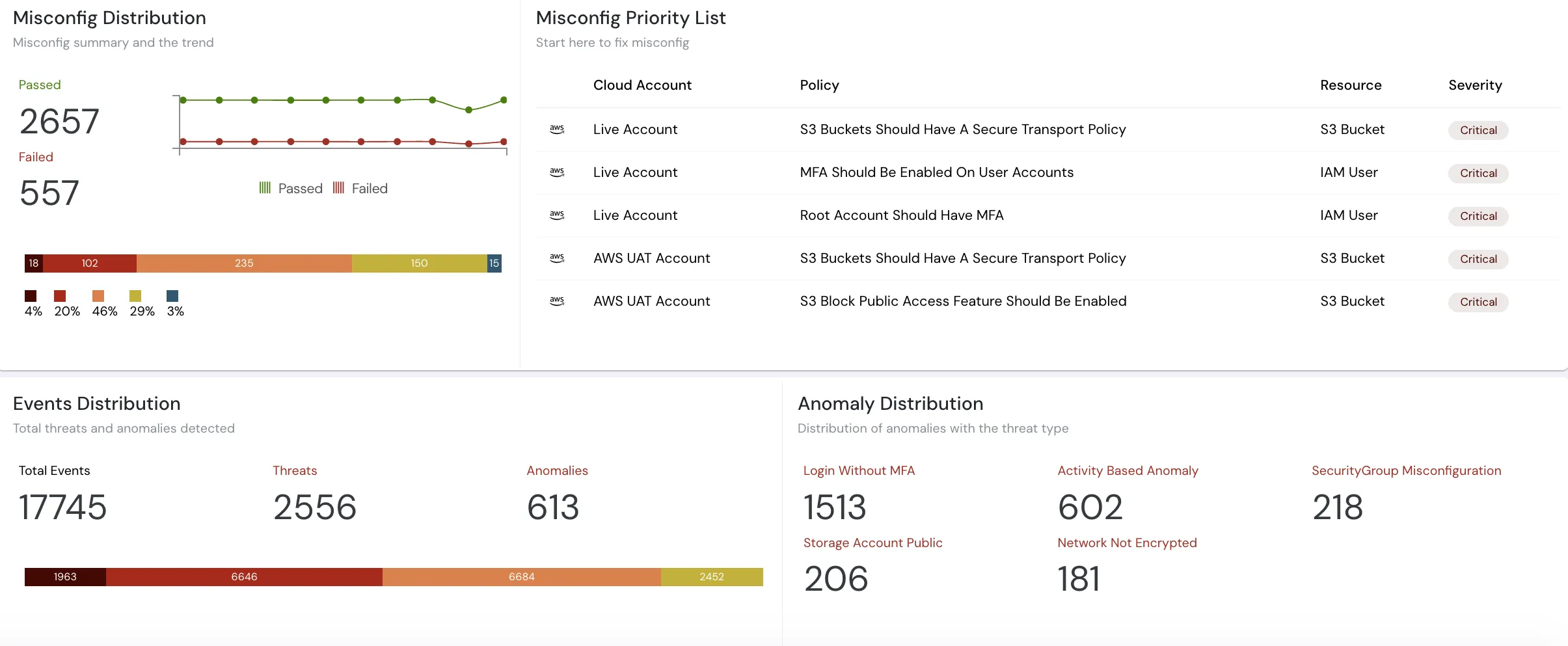
Cloudanix ingests CloudTrail and correlates it with the rest of your cloud context. Instead of an isolated AssumeRole event, you see it against a unified asset graph — which identity assumed the role, what that role can reach, and whether the path leads to sensitive data. That context is what powers Cloud Detection and Response (CDR) and UEBA-based anomaly detection, where a login from a new geography or an unusual API pattern is scored against a baseline of normal behavior for that identity.
CloudTrail also feeds the identity side of the picture. Actual API usage is the ground truth for right-sizing permissions with CIEM and for proving that just-in-time access was granted, used, and revoked — the kind of evidence auditors ask for under SOC 2, PCI DSS, and similar frameworks. For regulated FSI and healthcare teams, that export-ready audit trail is often the whole reason CloudTrail matters.













